AI Speech Generator
Save time and money with our reliable AI speech generator. Embrace speed and accuracy with the help of Flixier’s intuitive interface and AI technology.
No account required
Take advantage of the intuitive AI Speech Generator tool
Flixier is the best AI text to speech tool that enables you to bring any script to life in a couple of clicks. Expand your reach with the 25+ languages and dialects directory and tailor voiceovers to your needs by choosing one of our 50+ realistic-sounding AI generated voices.
Best text to speech AI online tool
AI speech generator in 25+ languages
Choose from 50+ text to speech AI voices
Multifunctional AI-based video editing toolkit
How to use the AI speech generator:
Start by tapping on the blue "Get Started" button. Select “Library” and select “Import” to start using our AI text to speech feature.
Select the desired language from the dropdown menu on the left, then pick a voice that you like. Add your script in the text box on the right and click on "Listen to preview". Tap "Add to my media" to upload the newly-generated voiceover in your Flixier library.
Make tweaks and adjustments to complement your AI text to speech voiceover. Explore our intuitive interface and experiment with video and audio editing features. Once you are done, click on the “Export” button and easily share your work with the world.

Why use Flixier as an AI speech generator:
Speech generator AI for your browser
Say goodbye to having to download and install unsafe third-party applications and say hello to browser-based efficiency with Flixier. Our speech generator AI feature is available right in your preferred browser tab and all you need to experiment with it is a stable internet connection.
Convert audio to text with the help of AI
Reverse engineer content creation with our AI speech generator. Neural network-based technologies can help you generate scripts and captions effortlessly through our audio to text AI functionality. Let Flixier’s speech recognition software do the work and generate text easily.
Best AI text to speech for all devices
Device compatibility is no issue for Flixier’s AI speech generator. Whether you’re working on a Windows machine, a Macbook, an older tablet or even your smartphone, our browser-based AI text to speech works seamlessly, saving you time, money, and effort.
AI speech generator free
Give a spin to our AI speech generator free of charge. Our free version lets you test the multifunctional capabilities and AI technologies Flixier features before committing to a paid upgraded plan.
You`re ingood hands
Over 500,000 creators use Flixier every month including brands like:



















Frequently
Asked
Questions
Open Flixier, choose a language from the dropdown on the left, and pick a voice you like. Type or paste your script in the text box on the right, then click Listen to preview. When it sounds right, click Add to my media to save the voiceover to your library.
Yes. Once you click Add to my media, the voiceover lands in your Flixier library, and you can drag it onto the timeline alongside your video. Trim it, line it up with your footage, adjust the volume, and add music or captions before exporting your finished video.
Flixier offers 29 languages, including English, German, French, Italian, Spanish, Japanese, Korean, Hindi, and more, as well as over 50 AI voices that work in any of these languages. Pick a language first, then browse female and male voices with different tones, pitches, and accents until you find one that fits your script. Use the preview button to hear each one before you add it. You can also clone your own voice with AI if that suits your needs more.
Need more than an AI speech generator?
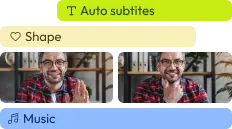
Edit easily
With Flixier you can trim videos or add text, music, motion graphics, images and so much more.
Publish in minutes
Flixier is powered by the cloud so you can edit and publish your videos at blazing speed on any device.

Collaborate in real-time
Easily collaborate on your projects with Flixier, we offer real-time feedback and sharing of projects.

Articles, tools and tips
finished videos
