Turn One Long Video into 10+ Clips with AI Video Repurposing
Flixier makes AI video repurposing fast and flexible. Turn long-form videos into TikToks, Reels, or Shorts, and extract clips based on topic with our context-aware AI video editing assistant.
Over 1 million creators use Flixier every day including brands like:





Repurpose Long Videos and Webinars into Social Media Clips
Cut, Resize, Enhance, and Caption in One Place
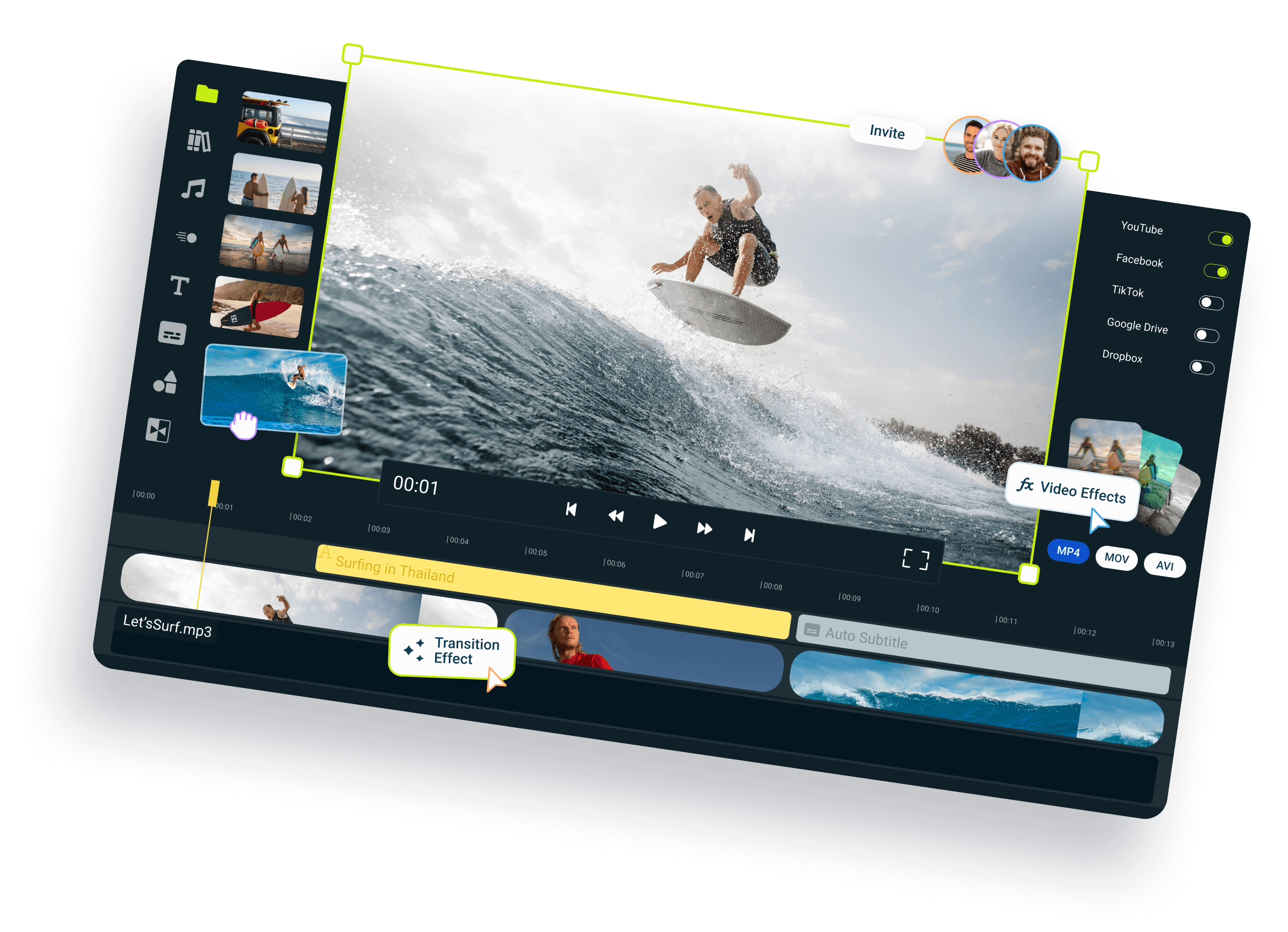
Upload your long-form video to Flixier and ask Eva to repurpose the best moments into Shorts. She’ll transcribe your clip, identify the best moments, propose cuts, resize your video, then generate captions and add your branding, all in your browser.
Pull Specific Moments in Seconds
Instead of scrubbing timelines manually, ask our AI video editing assistant to pull sequences from your video based on the topic. It will automatically identify the most relevant moments using your transcript and generate a vertical 9:16 clip.
Add Captions and Branding to Your Shorts
Generate animated, fully customizable captions for your short clips in seconds. Choose between different subtitle presets or create your own. Save your logos or brand colors to the Brand Kit so you can add them easily to every project.
AI Repurposing That Keeps You in Control
Every edit our repurposing AI makes happens in the timeline. That means you’re never stuck with the output. You’re free to tweak every cut, edit the subtitles, and tweak your videos the way you want. AI is only there to speed up the boring parts of your workflow.
How Flixier Repurposing Flow Works
Who This Is For

Marketers
Repurpose webinars, interviews, or product demos into social clips, ad creatives, and localized videos, all in one tool.
See How It WorksCreators
Educators

Business Owners
Testimonial on Video Repurposing with Flixier




Flixier has come a long way since the very beginning and continues to amaze me with how easy it is to use, its high quality for the price, and now the addition of AI will push this product even further to becoming one of the best modern video editors.

Still have questions?
We got you!
What is Content Repurposing?
Content repurposing means turning one long-form video (like a webinar, podcast, or tutorial) into multiple shorter pieces of content for different platforms. For example, one recording can become TikToks, Instagram Reels, YouTube Shorts, or even email snippets. Flixier makes this process easy with AI content repurposing tools that help you clip, subtitle, resize, and export, all in one tab. With Flixier, you get a streamlined content repurposing workflow designed to turn one recording into dozens of platform-ready assets in minutes.
Can I repurpose a YouTube video into TikToks or Reels?
Yes! You can upload the original YouTube video file or paste a link to import it.* Then use Flixier to trim highlights, add subtitles or AI voiceovers, and resize your clips for TikTok, Instagram Reels, or YouTube Shorts, all in one browser tab. For faster results, try our YouTube to TikTok tool to instantly start clipping short-form content.
*Note: Some YouTube links may not work due to platform restrictions. Uploading the video file directly is the most reliable option.
How do I turn one long video into multiple clips?
Upload your video or paste a link, then ask Eva to find the highlights. She pulls the strongest moments, cuts them into vertical clips, and captions each one. Every clip lands on the timeline, so you can adjust any cut before exporting.
Do I need to download anything to repurpose videos?
Nope. Flixier runs entirely in your browser. You can upload, edit, subtitle, resize, and export without installing any software, even on low-spec devices.
Can I turn a podcast or Zoom recording into social clips?
Yes! Upload your audio or video file, cut key highlights, add captions or AI voiceovers, and publish platform-ready clips in minutes.
Can I repurpose a video for TikTok, Reels, and Shorts at once?
Yes. Resize any clip to 9:16 with one click and export platform-ready versions of the same moment, without re-editing from scratch.
Can I edit what the AI cuts, or am I stuck with the output?
You're never stuck. Unlike one-shot clip generators, every edit our AI video editing assistant makes is on a real timeline. The AI does the heavy lifting; the final call is yours.
Does Flixier support AI voiceovers for repurposed clips?
It does! You can generate lifelike AI voiceovers in over 100 languages and dialects. Perfect for turning silent recordings or clips into fully voiced videos, fast, flexible, and human-editable.
How fast can I repurpose a video with Flixier?
Most users can go from upload to export in under 30 minutes. Because Flixier runs in the cloud, there’s no rendering lag. You can trim, subtitle, resize, and publish without slowing down your workflow. Flixier’s repurpose AI speeds up editing by helping you find highlights and auto-generate subtitles so you can focus on publishing, not fine-tuning.