Choosing the right video editing software for GoPro footage can be daunting, with options ranging from quick social media tools to programs offering advanced cinematic effects and professional color grading. Concerns often include compatibility, learning curve, 4K handling, and time commitment. Although GoPro cameras capture great action, the raw footage almost always needs essential edits like stabilization, color correction, speed adjustments, and creative transitions to truly stand out.
This comprehensive guide is designed to make your choice simple. It breaks down the key features of popular GoPro editing tools, highlights their unique selling points, and helps you select the software that perfectly matches your current editing style, skill level, and creative goals.
Quick List of Top Video Editing Software for GoPro
Here's a quick overview of top editors for GoPro footage:
Flixier - Fast cloud-based, AI-enhanced editing accessible anywhere
Adobe Premiere Pro - Desktop professional suite for advanced filmmaking
Final Cut Pro - Mac-exclusive professional editor requiring expensive hardware
Davinci Resolve - Desktop color grading specialist for technical workflows
HitFilm Express - Desktop VFX-focused editor for special effects work
iMovie - Basic Mac-only editor with limited features
Filmora - Desktop beginner editor with template-based approach
CyberLink PowerDirector - Windows-only desktop software for 360° specialists
Shotcut - Basic open-source desktop editor with dated interface
CapCut - Mobile-first app primarily for short-form social content
GoPro Quik - Automated app with minimal manual control
Comparison Table
Tool
Best For
OS Compatibility
Pricing
Strong Points
Flixier
Fast Cloud Editing
Windows, Mac, Chromebook
Free tier, paid plans
Cloud-based, fast exports, collaborative
Adobe Premiere Pro
Professional Color Grading
Windows, Mac
Subscription
Highly customizable, industry standard, pro effects
Final Cut Pro
Mac-only Advanced Editing
macOS
One-time purchase
Optimized for Mac, magnetic timeline, fast rendering
Davinci Resolve
Advanced Color Grading
Windows, Mac, Linux
Free & Paid Studio
Industry-leading color correction, professional tools
HitFilm Express
Free VFX Editor
Windows, Mac
Free with add-ons
Strong visual effects, compositing tools
iMovie
Simple Editing for Mac
macOS, iOS
Free
Easy drag-and-drop, beginner-friendly
Filmora
Beginner to Intermediate
Windows, Mac
Free trial, paid
Intuitive, feature-rich, good value
CyberLink PowerDirector
Fast Rendering & 360° Video
Windows
Subscription & Perpetual
360° tools, fast export, motion tracking
Shotcut
Free Open Source
Windows, Mac, Linux
Free
Wide format support, no limitations
CapCut
Mobile-Friendly Editing
iOS, Android, Windows, Mac
Free
Social media focused, trending effects
GoPro Quik
Quick Auto Edits
Windows, Mac, iOS, Android
Free and Premium
Auto edit templates, GPS overlays, cloud backup
A Deep Dive Into the Best Video Editors for GoPro
Flixier
Choose Flixier if you want fast cloud-based editing accessible from any device without heavy hardware requirements.
Flixier stands out as a browser-based video editor that eliminates the need for powerful computers or lengthy software installations. It's particularly well-suited for GoPro users who need to edit on the go or work across multiple devices
Best for: Quick edits anywhere, collaborative projects, content creators who value speed
OS compatibility: Windows, Mac, Chromebook - works on any device with a web browser
Pros:
No installation or downloads needed
Compatible with all popular GoPro video formats
Fast cloud-based exports regardless of your computer's power
Use on low-spec devices including Chromebooks
Seamless collaboration features
Access projects from anywhere
Regular monthly updates with new features
Cons:
Requires stable internet connection
Adobe Premiere Pro
Choose Adobe Premiere Pro for professional-level editing with detailed color grading and advanced post-production capabilities.
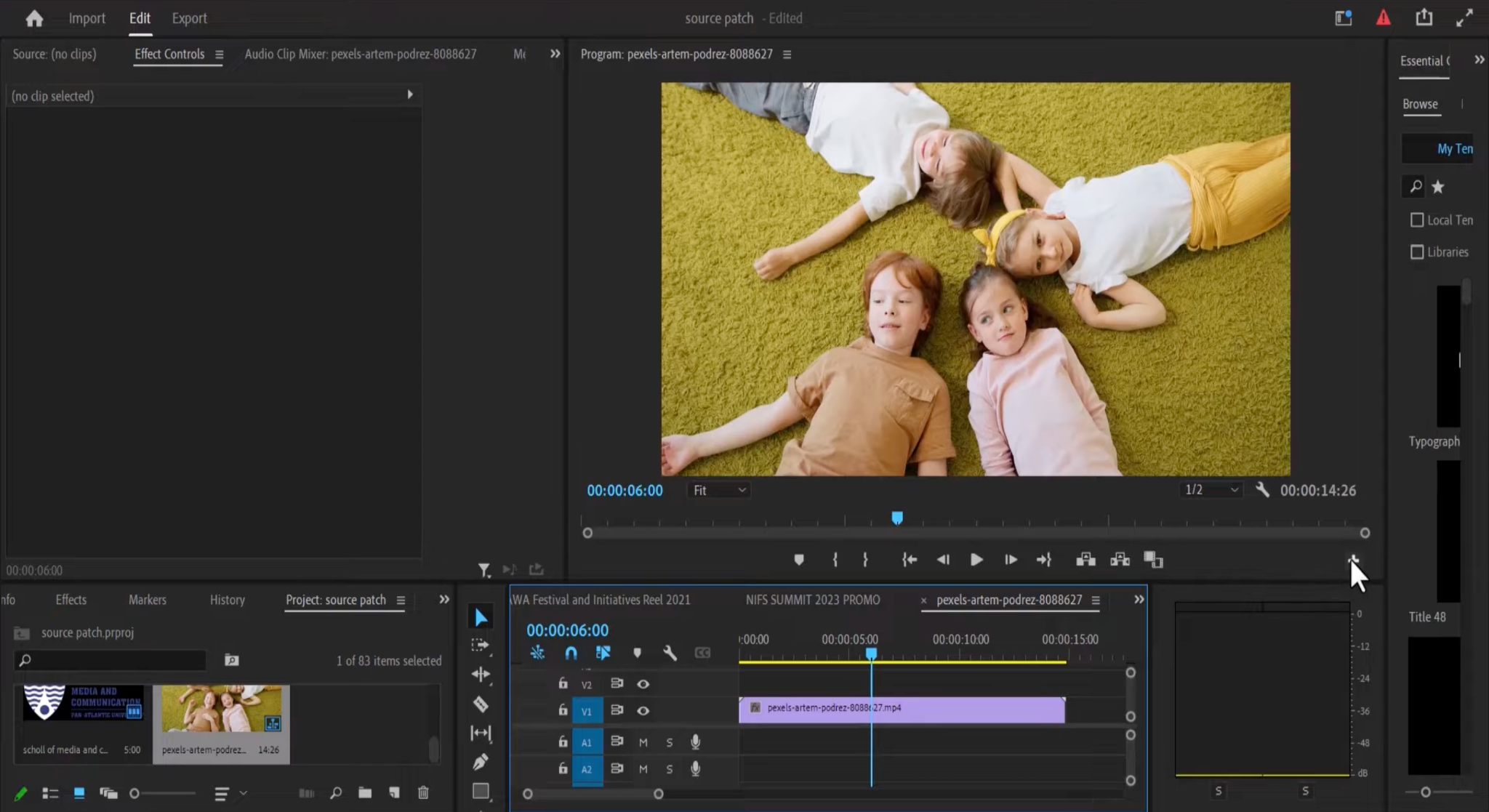
Premiere Pro is the industry standard for professional video editors, offering unmatched customization and integration with the Adobe Creative Cloud ecosystem. It's the go-to choice for filmmakers, YouTubers, and content creators who need complete creative control.
Best for: Desktop professional editing with maximum creative control
Key features:
Advanced multi-cam editing for syncing multiple angles
Lumetri Color tools for professional color grading
Tight integration with Adobe After Effects, Photoshop, and Audition
Extensive plugin ecosystem with third-party extensions
AI-powered features like Auto Reframe and scene edit detection
Advanced audio mixing and cleanup
Support for proxy workflows with high-resolution footage
VR and 360° video editing capabilities
Motion graphics templates
OS compatibility: Windows, Mac (requires installation and powerful hardware)
Must download and install large software (several GB)
Slow rendering on average computers
Overkill for simple projects
Final Cut Pro
Final Cut Pro is designed for Mac users needing a high-performance editor optimized specifically for macOS and Apple Silicon.
Apple's professional video editing software offers unique features like the magnetic timeline and is optimized to take full advantage of Mac hardware, including M-series chips for incredibly fast rendering.
Best for: Mac professionals willing to invest in expensive Apple hardware
Key features:
Magnetic Timeline for intuitive, trackless editing
Advanced color grading with color wheels and curves
360° video editing and support for VR headsets
Motion graphics with built-in effects
Multicam editing with automatic sync
Object tracking and masking tools
HDR video support
Optimized for Apple Silicon (M1, M2, M3 chips)
OS compatibility: macOS only (requires macOS 13.5 or later and modern Mac hardware)
Pros:
Fast rendering on expensive Mac hardware
Uses Mac resources efficiently (GPU acceleration)
One-time purchase instead of subscription
Regular free updates
Cons:
Mac-only
Projects locked to Apple ecosystem
Limited plugin support compared to Premiere Pro
Cannot edit on Windows, Chromebook, or older computers
Davinci Resolve
Choose Davinci Resolve for advanced color grading and professional post-production features with an unbeatable free version.
Davinci Resolve started as a color grading tool used in Hollywood and has evolved into a complete post-production suite. Its free version is remarkably capable, making professional-grade tools accessible to everyone.
Best for: Technical colorists focused on post-production workflows
Key features:
Industry-leading color correction tools with color wheels, curves, and HDR support
Fairlight audio suite for professional audio post-production
Fusion visual effects and motion graphics
Advanced node-based editing for effects
AI-powered tools for face detection, object removal, and speed warp
Multi-user collaboration capabilities
Support for 8K editing and high frame rates
Professional delivery and export options
OS compatibility: Windows, Mac, Linux (requires installation and powerful GPU)
Pros:
Professional-grade color correction tools
Powerful free version for testing
All-in-one solution for complex projects
Used in film and TV production
Cons:
Requires powerful computer with high-end GPU
Complex, technical interface with steep learning curve
Slow performance on average computers
Must download and install multi-gigabyte software
Overwhelming for simple edits
Free version lacks important features like collaboration and noise reduction
HitFilm Express
HitFilm Express is a free editor with a strong focus on visual effects, perfect for creators who want to add VFX to their action footage.
Combining video editing with VFX compositing, HitFilm Express offers tools typically found in expensive software, making it ideal for GoPro users who want to add cinematic effects to their adventure videos.
Best for: Desktop VFX specialists creating special effects-heavy content
Key features:
Extensive VFX library with particle effects, muzzle flashes, and more
3D compositing and camera tracking
Chroma keying (green screen)
Layered timeline for complex composites
Motion tracking for adding graphics to moving subjects
Color grading tools
Support for common video formats including GoPro footage
Audio editing with effects
OS compatibility: Windows, Mac (requires download and installation)
Pros:
Free VFX tools for experimenting
Good for learning special effects
No watermarks on free version
Cons:
Narrow focus on VFX work, not general editing
Must download and install desktop software
Limited export format options on free tier
Interface can feel cramped and complex
Requires moderately powerful computer for effects
Most useful features require purchasing add-on packs
iMovie
iMovie offers simple, straightforward editing for Mac and iOS users who want quick results without complexity.
Apple's free consumer video editor is perfect for beginners who just want to cut together GoPro clips, add music, and share their adventures without learning complex software.
Best for: Casual Mac users wanting basic cuts with minimal features
Key features:
Drag-and-drop editing interface
Preset themes and templates
Basic color correction and filters
Built-in music and sound effects
Simple transitions and titles
Green screen effects
Picture-in-picture overlays
4K video support
Seamless sync with iPhone and iPad
OS compatibility: macOS and iOS only (excludes Windows, Chromebook, and Linux users)
Pros:
Completely free with Apple devices
Simple interface for basic tasks
No watermarks
Cons:
Mac/iOS only - cannot use on Windows or Chromebook
Very limited features compared to modern editors
No collaboration tools
No multi-cam editing
Cannot access projects from other devices
Basic export options only
Limited effects and transitions
Not suitable for anything beyond simple cuts
Filmora
Filmora balances ease of use with rich editing features, making it ideal for beginners progressing to intermediate skills.
Wondershare Filmora is designed to be accessible enough for beginners but powerful enough to create professional-looking videos, striking a balance that many GoPro users appreciate.
Best for: Desktop users who prefer template-based editing
Key features:
Effects library with regular updates
Smooth transitions and animated titles
Text overlays with customization
Audio editing and noise removal
Speed controls (slow motion and time-lapse)
Green screen and split-screen capabilities
Motion tracking for text and graphics
Color grading tools
Direct social media export presets
Royalty-free music library
OS compatibility: Windows, Mac (requires download and installation)
Pros:
Large library of preset effects and templates
Beginner-friendly interface
Regular content updates
Cons:
Permanent watermark on all free version exports
Must download and install desktop software
Requires payment to remove watermark
Template-based approach limits creativity
Some effects can look generic
Limited multi-cam capabilities
Slower rendering than cloud-based alternatives
CyberLink PowerDirector
PowerDirector is the top choice for Windows users who want fast rendering and specialized 360° video editing capabilities.
PowerDirector combines ease of use with professional features, particularly excelling at 360° footage from GoPro MAX and handling action camera-specific needs like stabilization and speed effects.
Best for: Windows users specializing in 360° video content
Key features:
Specialized 360° video editing tools
Motion tracking for graphics and effects
Multi-cam editing with auto-sync
AI-powered style transfer and effects
Video stabilization for shaky footage
Speed designer for custom speed ramps
Mask designer for selective effects
Keyframe controls for animations
Title designer with templates
Color grading and LUT support
OS compatibility: Windows only (excludes Mac, Chromebook, and Linux users)
Pros:
Strong 360° editing tools for GoPro MAX
Fast rendering on Windows
Tutorial library available
Cons:
Windows-only (cannot use on Mac or other platforms)
Must download and install desktop software
Interface can feel cluttered and overwhelming
Requires annual subscription or upfront payment
Limited to local computer - cannot access from other devices
Less widely used than industry-standard tools
Shotcut
Shotcut is a free, open-source editor supporting many formats, ideal for editors on a budget who don't mind a less polished interface.
As a truly free and open-source option with no watermarks or limitations, Shotcut offers surprising capability for those willing to learn its unique approach.
Best for: Budget-conscious users comfortable with basic, dated interfaces
Key features:
Wide format compatibility (handles almost any video format)
Timeline-based editing with multiple tracks
Video filters and effects
Audio editing with filters
Color grading tools
Hardware encoding support for faster exports
4K resolution support
No watermarks or export restrictions
Cross-platform compatibility
OS compatibility: Windows, Mac, Linux (requires download and installation)
Pros:
Completely free and open-source
No watermarks or export limitations
Supports many video formats
Cons:
Outdated, clunky interface from early 2000s
Must download and install desktop software
Steep learning curve due to unintuitive design
Limited effects and features compared to modern editors
No cloud access or collaboration
Cannot edit from multiple devices
Slow development updates
Poor documentation and limited support
CapCut
CapCut offers a mobile-first editing experience with easy social media exports, perfect for creators focused on TikTok, Instagram, and YouTube Shorts.
Originally designed for mobile devices, CapCut has become hugely popular with social media creators for its simplicity and platform-optimized features.
Best for: Mobile-first creators focused on short-form TikTok and Instagram content
Key features:
Mobile app with intuitive touch interface
Simple drag-and-drop timeline
Trending effects and transitions updated regularly
Text-to-speech and auto-captions
Keyframe animation
Background removal
Speed controls and reverse
Beauty filters and effects
Music library with popular tracks
Optimized exports for TikTok, Instagram, YouTube
OS compatibility: Primarily mobile (iOS, Android); desktop use requires workarounds
Pros:
Free with no watermarks
Very easy for quick mobile edits
Good for trending social media formats
Cons:
Primarily a mobile app - desktop version is limited
Owned by ByteDance (TikTok) with privacy concerns
Not suitable for longer videos or professional content
Limited features compared to full desktop or cloud editors
No collaboration tools
Cannot access from multiple devices easily
Focused only on short-form vertical video
GoPro Quik
GoPro Quik specializes in fast automatic edits and easy sharing, designed specifically for GoPro camera users who want minimal editing effort.
Created by GoPro themselves, Quik is purpose-built to work seamlessly with GoPro footage, automatically creating edited videos from your clips with just a few taps.
Best for: Users wanting automated edits with minimal manual control
Key features:
Auto-generated video edits synced to music
Customizable templates for different video styles
Cloud backup for GoPro footage (with subscription)
GPS stickers showing speed, distance, and elevation
Basic trimming and speed adjustment
Filters and themes
Direct sharing to social media
Automatic highlight detection
Simple text overlays
Music library
OS compatibility: Windows, Mac, iOS, Android (requires download and installation)
Pros:
Fast automatic edits
Made specifically for GoPro cameras
GPS data overlay capabilities
Cons:
Minimal manual editing controls
Formulaic templates make videos look similar
Must download and install app
Limited creativity and customization
Cannot edit from browser
How to Choose Your GoPro Video Editing Software
Selecting the right editor for your GoPro footage requires considering several key factors:
1. Operating System Compatibility
Pick software that runs smoothly on your computer's operating system. Mac users have exclusive access to Final Cut Pro and iMovie, while PowerDirector is Windows-only. Cross-platform options like Flixier, Premiere Pro, and Davinci Resolve offer flexibility if you work across multiple devices.
2. Skill Level and Learning Curve
Match the software to your experience level:
Complete beginners: Start with iMovie, GoPro Quik, or CapCut for simple, intuitive interfaces
Intermediate users: Try Filmora, Flixier, or HitFilm Express for balanced features and usability
Advanced editors: Adobe Premiere Pro, Davinci Resolve, or Final Cut Pro offer professional-grade control
3. Essential Features for GoPro Footage
Consider what your GoPro videos typically need:
Action camera stabilization: Most software includes stabilization, but PowerDirector and Premiere Pro excel here
Color grading: Davinci Resolve and Premiere Pro lead in color correction capabilities
360° editing: PowerDirector and Final Cut Pro offer the best 360° tools for GoPro MAX footage
Speed effects: Look for variable speed and speed ramping features for dynamic action sequences
Quick social sharing: CapCut, Flixier, and GoPro Quik optimize exports for social platforms
5. Computer Performance Requirements
Ensure your computer meets the software's system requirements:
Low-spec friendly: Flixier (cloud-based), iMovie, CapCut work on modest hardware
Content writer with over 8 years of experience in digital marketing. When she's not deep in the writing zone, you'll find her on coffee dates with friends, writing poems, or taking photographs on film. Because all the best stories need a little caffeine, creativity, and color.
Start with software that fits your skill level and needs. Import your GoPro footage into your chosen editor, cut and arrange clips on the timeline, add effects, transitions, or color adjustments, then export your finished video. Beginners should start with iMovie, GoPro Quik, or Flixier for straightforward editing, while more experienced editors might prefer Adobe Premiere Pro or Davinci Resolve for detailed control.
Yes. GoPro Studio was discontinued years ago and has been replaced by modern, more capable editors. Software like Davinci Resolve, Adobe Premiere Pro, Final Cut Pro, Flixier, and iMovie all handle GoPro files natively without any conversion needed. The newer GoPro Quik app provides GoPro's own modern editing solution.
No, GoPro Studio is no longer available or supported. GoPro discontinued it in favor of the GoPro Quik app for mobile and desktop. However, many third-party editors now offer better features and performance than the original GoPro Studio ever did.
Yes. GoPro Quik is available for Windows PC, and virtually all major third-party video editors (Adobe Premiere Pro, Davinci Resolve, PowerDirector, Filmora, Shotcut, Flixier) support GoPro video files on Windows computers.
Absolutely. iMovie is a good, simple option if you use a Mac or iOS device. It handles GoPro footage well, letting you easily trim clips, add basic effects, include music, and share to social media. However, iMovie lacks advanced features like detailed color grading or multi-cam editing that you might need as your skills progress.
CapCut works well for social media creators who want quick, mobile-style edits of their GoPro footage. It's excellent for creating TikToks, Reels, and YouTube Shorts from action camera clips. However, its features are limited compared to desktop editors, and it's not ideal for longer, more complex projects.
GoPro Quik remains GoPro's current official app and hasn't been replaced. However, many users prefer alternatives like Flixier for faster cloud-based editing with more manual control, or Adobe Premiere Pro for professional-level features. The choice depends on whether you want automatic quick edits (Quik) or more creative control (third-party editors).
Davinci Resolve offers the most powerful free editing capabilities, including professional color grading and effects. For simpler needs, iMovie (Mac only) provides easy, intuitive editing. Shotcut is completely free with no limitations but has a steeper learning curve. Flixier offers a free tier that's great for quick cloud-based edits with modern features.
Most modern video editors include stabilization tools. In software like Adobe Premiere Pro or Final Cut Pro, apply the stabilization effect to your clip and let the software analyze the motion. Davinci Resolve offers excellent stabilization in its free version. For quick fixes, GoPro Quik and Flixier provide simple one-click stabilization that works well for most action footage.
Yes, most modern editors support high-resolution GoPro footage. However, editing 4K and 5.3K video requires adequate computer power. Cloud-based editors like Flixier can handle high-resolution footage without taxing your computer. Final Cut Pro excels with 4K on modern Macs. Premiere Pro and Davinci Resolve offer proxy workflows to edit high-res footage smoothly on mid-range computers.