Announcements
Find out about our latest product changes as we continue improving Flixier to enable your team to make amazing videos
AI Video Dubbing & Translation
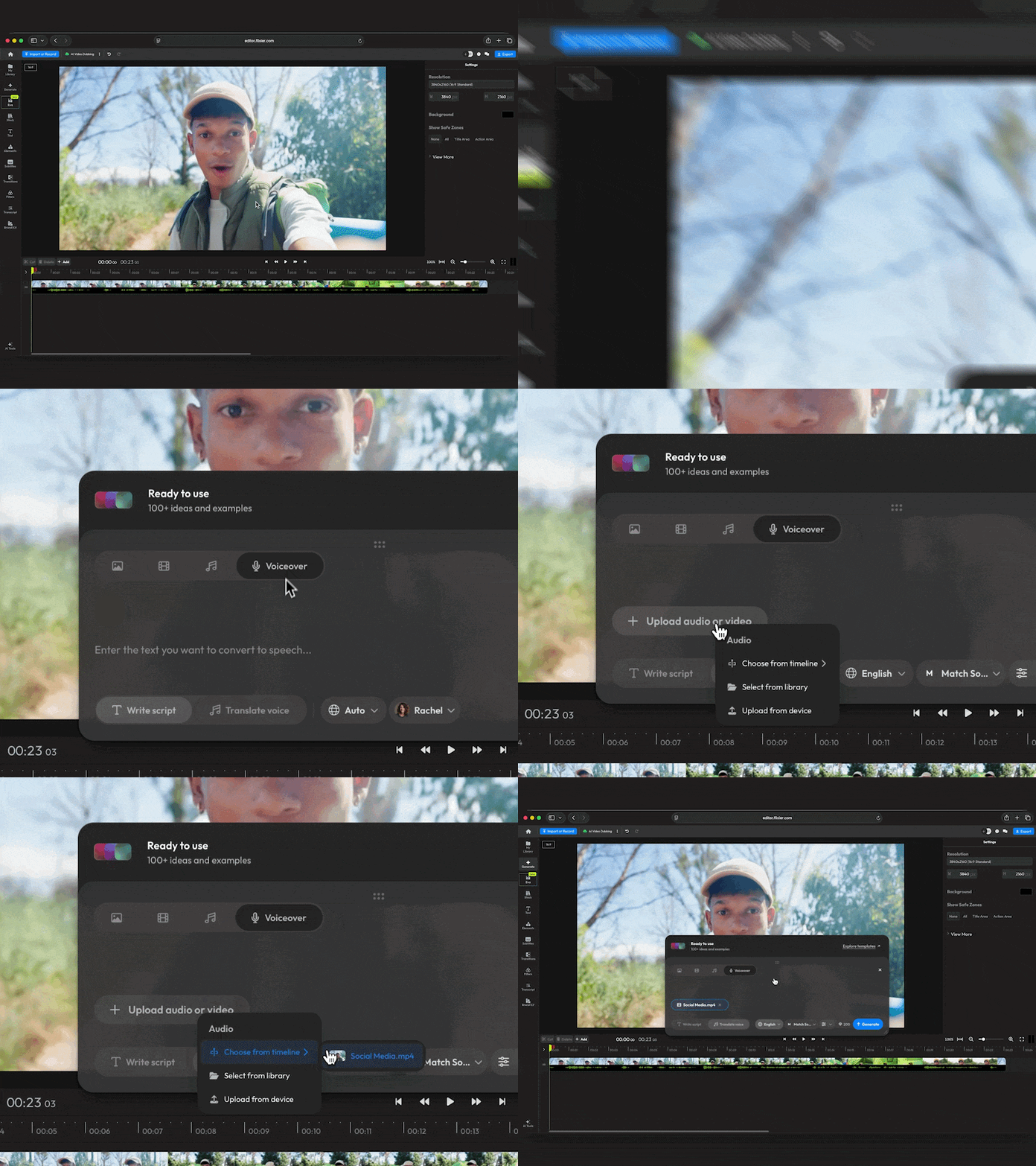
You can now generate AI voiceovers for your video and translate the audio with AI directly from the Generate menu! When translating the video, Flixier can automatically clone the original speaker’s voice for a seamless dub, or use a similar voice from our AI voices library.
To try out the new features, just open the Generate menu and go to the voiceover tab.
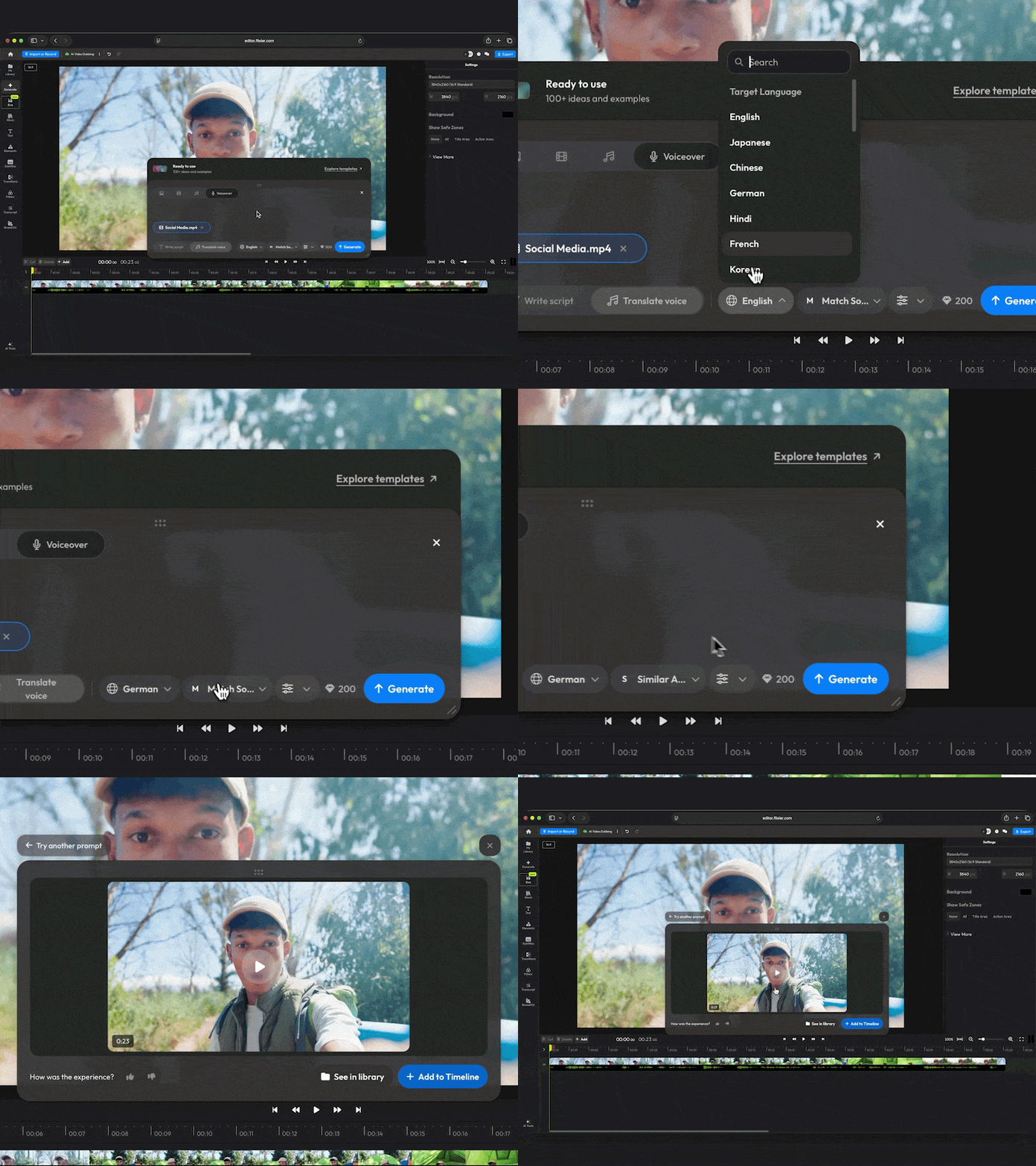
Hit Translate voice, then click Upload audio or video. You can choose an audio track from the timeline, upload a track, or pick one from your library.
Lastly, select a target Language and choose whether you want to match the source voice or use a similar AI voice from our repository.
New AI Video Models Available in Generate
On top of the new video translation features, we’ve also added 4 new video models to Generate:
- Wan 3.0+ Reference
- Wan 3.0 Prime+ Reference
- Minimax H3
- Seedance 2.5
The Wan 3.0 models can generate up to 30 seconds of 1080p video in a single pass, complete with audio! That means dialogue, ambience, and visuals all fit together without requiring any editing afterwards.
Minimax H3 is great for B-roll and talking-head videos, and is a cost-effective way to generate 2K-4K videos.
We’ve also expanded the Generate template library with more than 15 new templates and categories like Home & Living and Fashion & Apparel.
