Announcements
Find out about our latest product changes as we continue improving Flixier to enable your team to make amazing videos
Generate Custom Text Styles
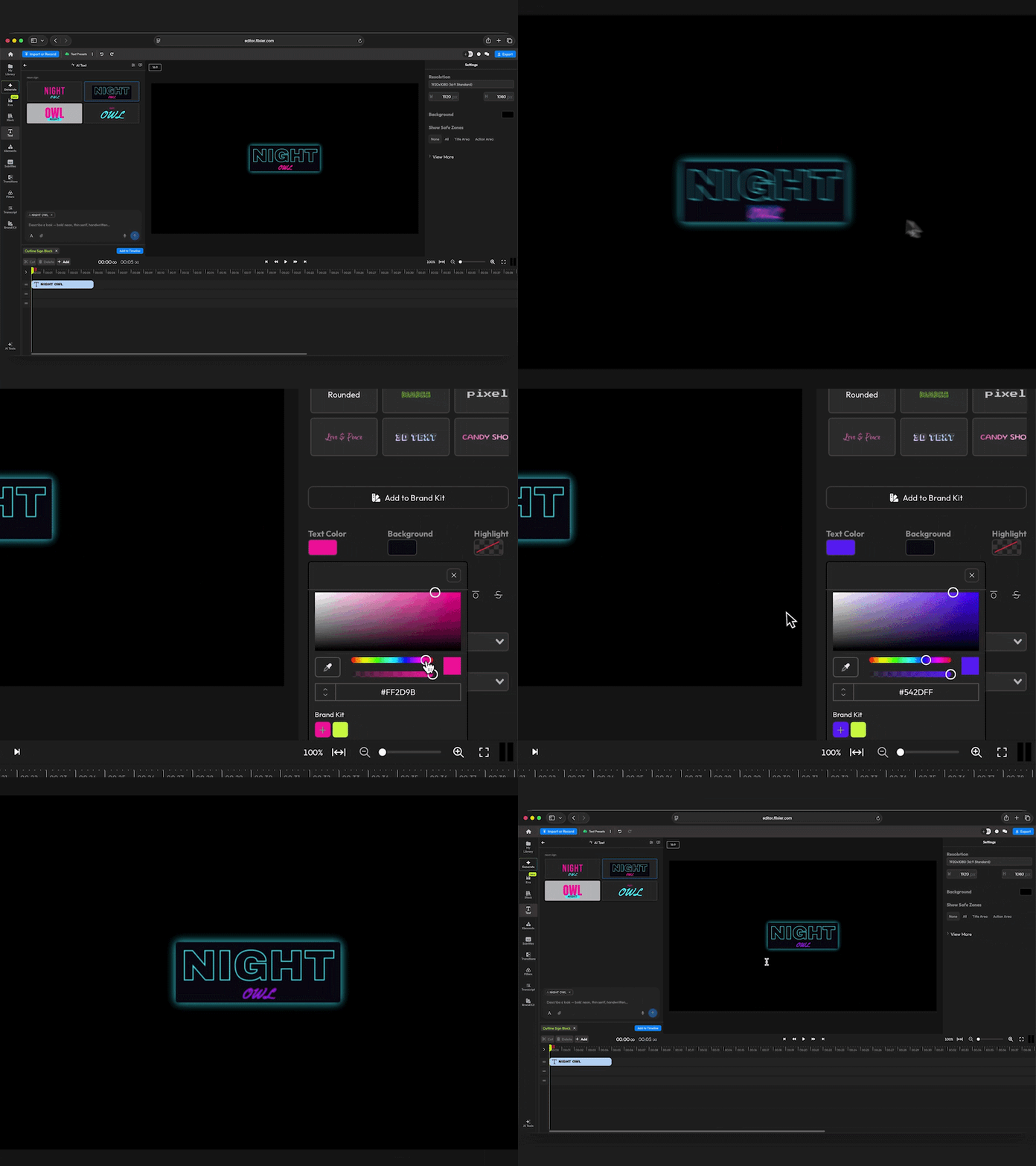
Can’t find a text preset that matches the vibe of your video? You can now generate your own Text Styles and save them to your Brand Kit for later use!
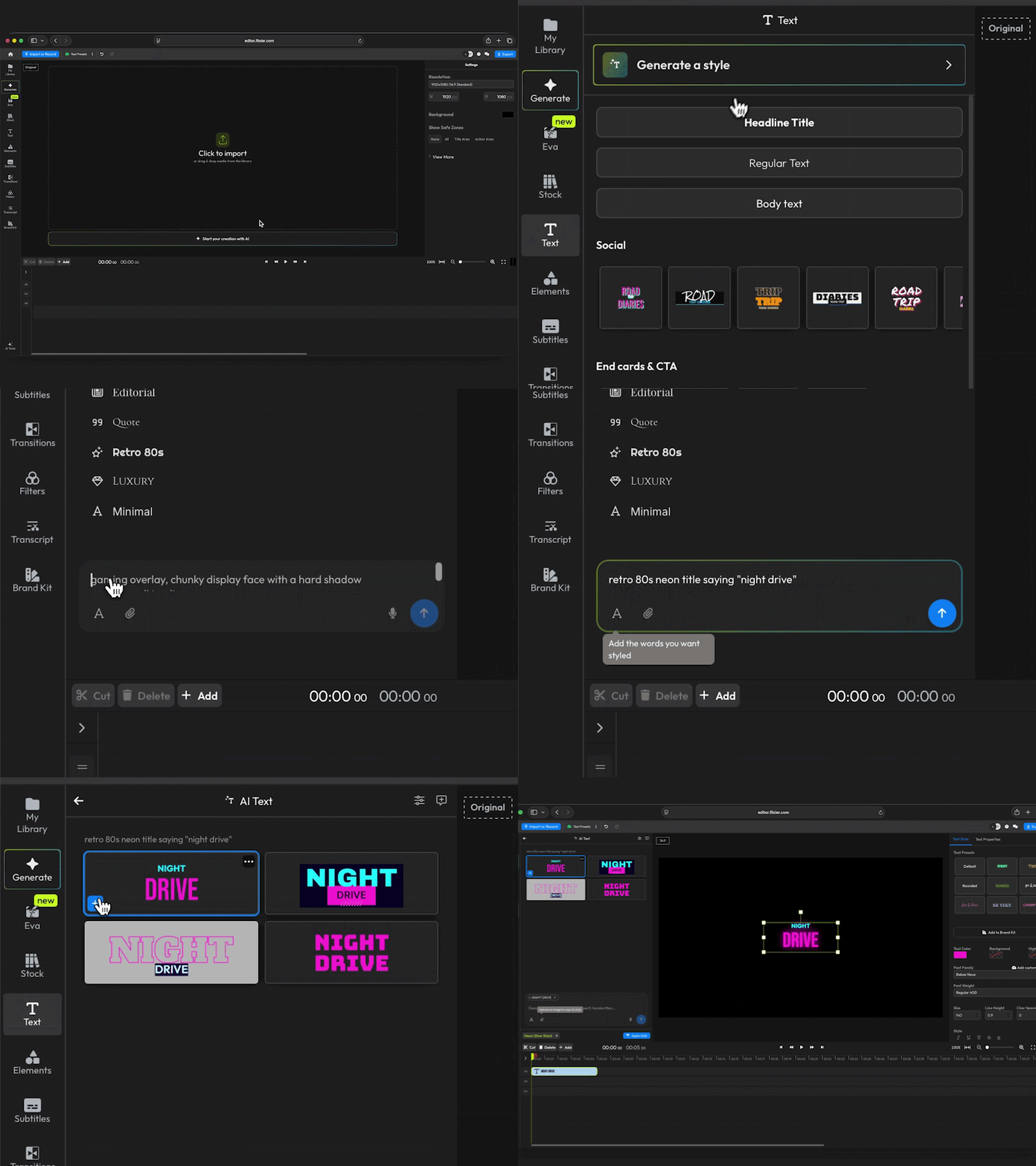
Here’s how it works:
- Open the Text menu and click Generate a Style
- Type in a prompt and enter the exact words you want to use in your title
- Preview the results and add them to your timeline
The tool will generate four results after analyzing your prompt and the overall colors of the scene your playhead is currently at. If you like one of the results, you can simply add it to the timeline, or click on it and choose More like this to create more variations of that same style.
If you want something specific, you can even style text based on an image reference if you want to reproduce something iconic.
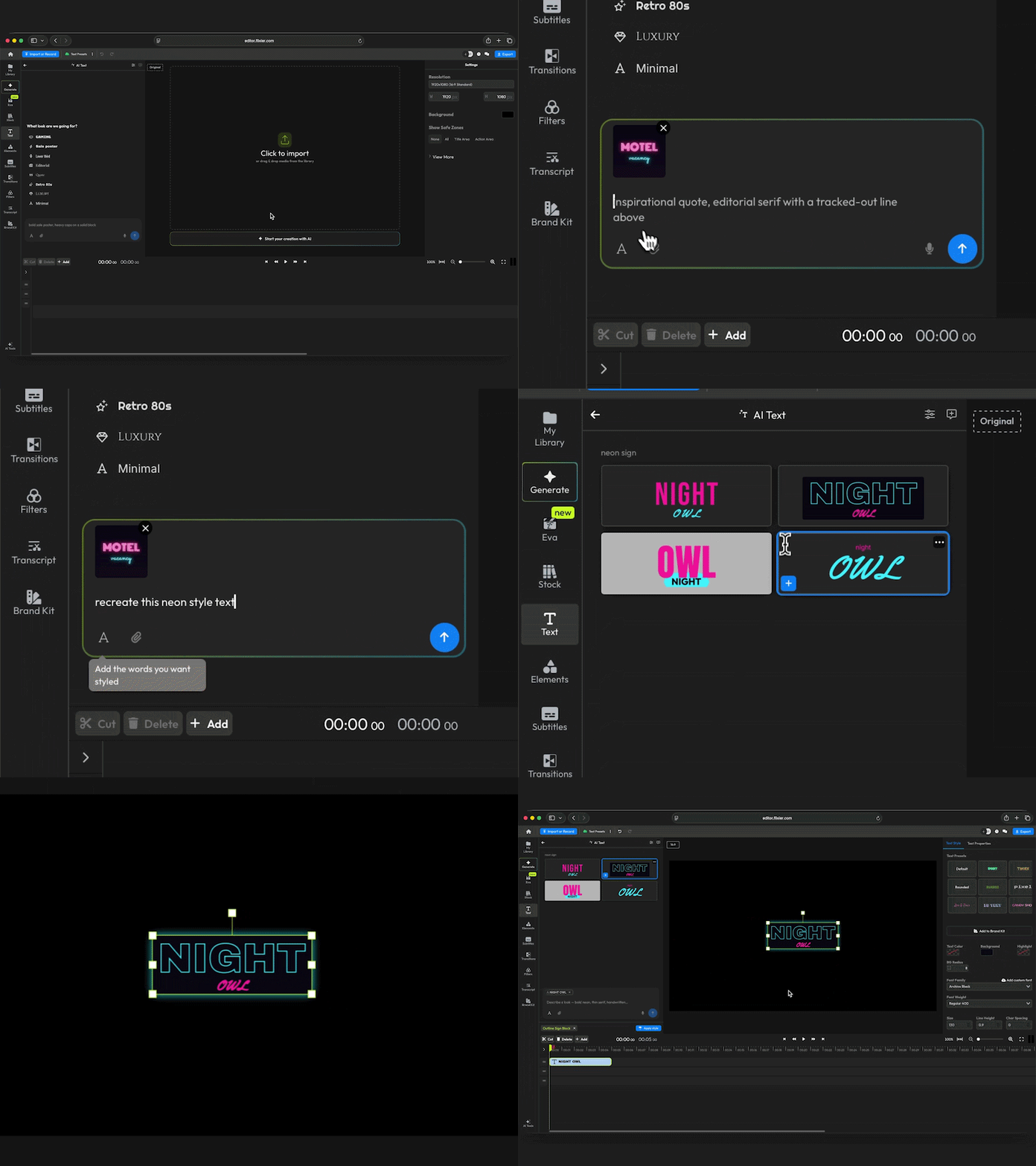
Your generated title or lower third is added to the timeline as a regular text object, so you’re free to customize it the same way you would customize any other text element in your video.