Announcements
Find out about our latest product changes as we continue improving Flixier to enable your team to make amazing videos

Huge improvements to cropping, captioning, and brand kit
This latest update brings with it a large number of improvements to cropping, subtitles, and the Brand Kit! Here’s what’s new:
A more intuitive way to crop videos
We wanted to make cropping videos simpler, so we added the Easy Crop button. Select your video on the timeline, click Easy Crop in the right-hand menu, and a brand new crop interface will pop up!
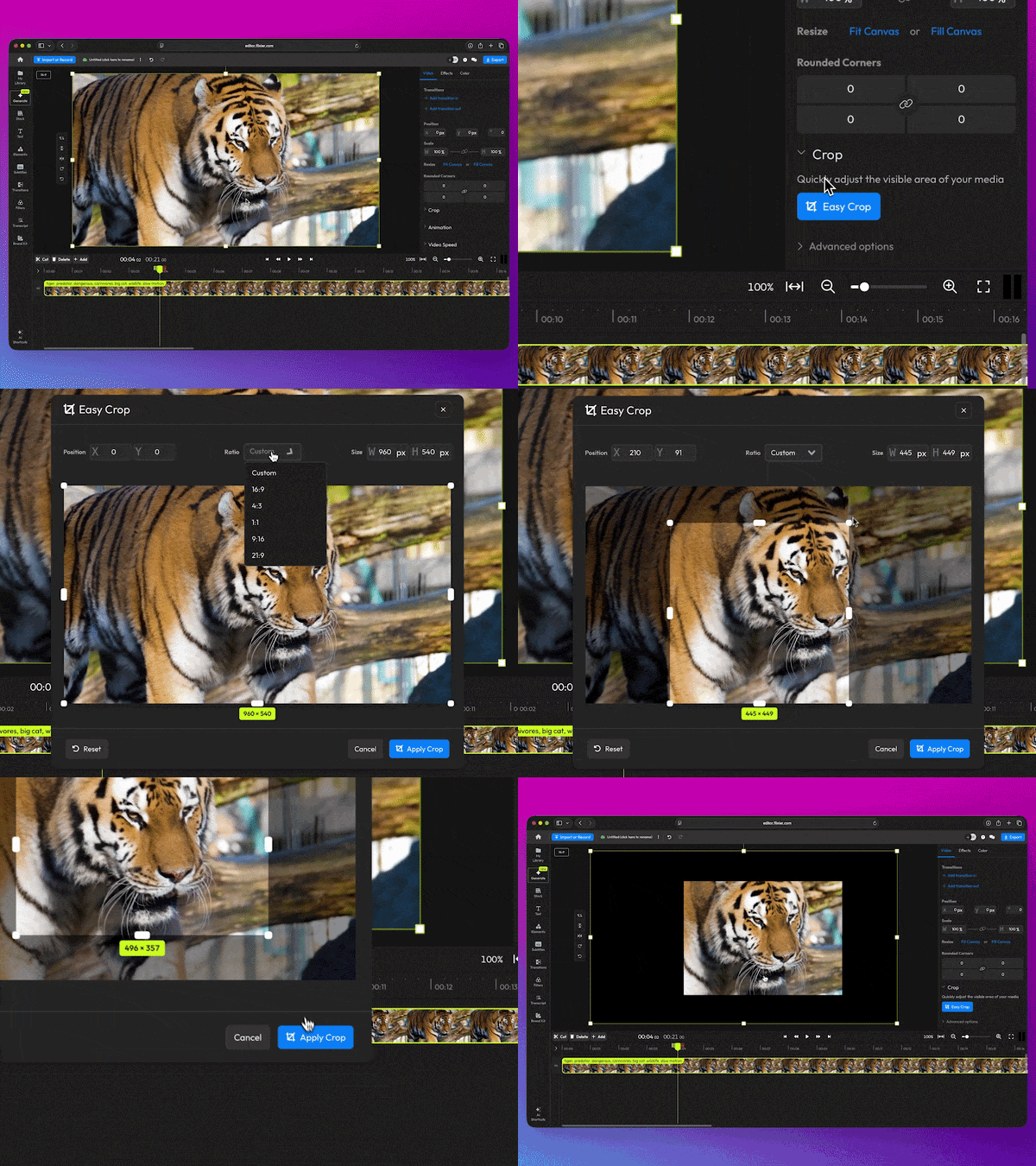
Here, you can crop your video to a custom size by dragging with your mouse, choose a preset Ratio, or enter a custom resolution!
And if you were a fan of the old cropping method, you can rest assured it’s still there; you’ll find it under Advanced Options in the Crop menu.
Save backgrounds to your Brand Kit
You can now add background images to your Brand Kit, then apply them to your videos using the editor!
To apply your backgrounds, open the canvas settings, click on the background color, then go to the Images tab!
Subtitle fixes and improvements
- We fixed a bug that caused text objects, including subtitles, to glitch out after being resized.
- Subtitle style changes apply to every subtitle object linked to your video. That means no more wasting time adjusting the color, size, or animation of each subtitle object individually!
- You can now delete every subtitle object linked to your video in one click. You can find the new Delete button in the top right corner of the Subtitle Timings menu.