Announcements
Find out about our latest product changes as we continue improving Flixier to enable your team to make amazing videos

Experiment with multi-model generation
Over the past week, we added more than 20 different AI video and image generation models to Flixier. This includes the latest top-of-the-line models like Nano Banana Pro, Veo 3.1, Wan, and Kling.
This is an exciting new step for us, and we wanted to make sure you can easily experiment with and compare results across all these new models. That’s why we developed a new workflow for generating AI videos (and images!) in Flixier.
Here’s how it works:
Generate
Generating videos here works the same way it does in the timeline. You start by picking a model, then you upload a reference photo, and enter your prompt.
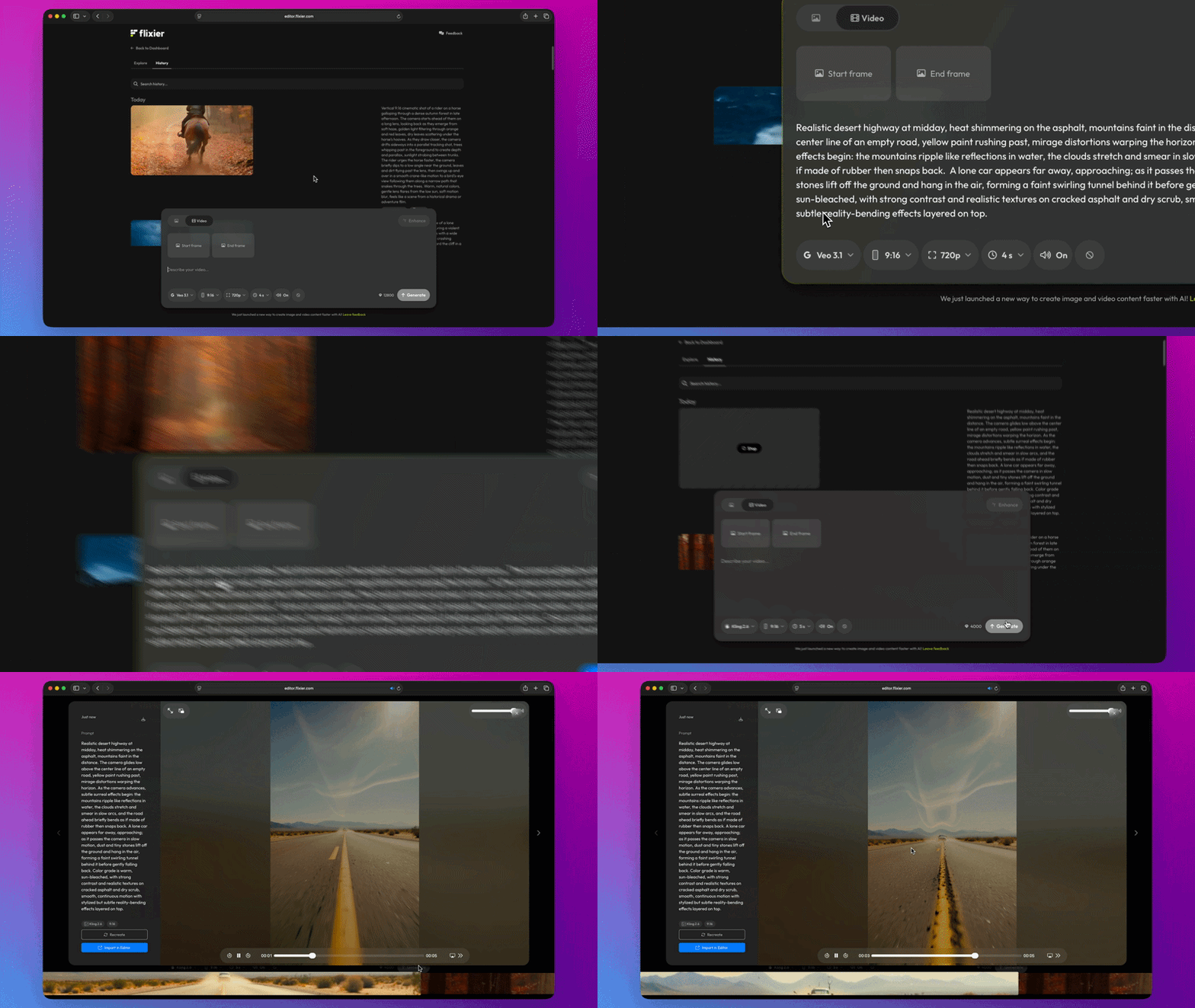
You’re also free to add a negative prompt and choose the aspect ratio, resolution, and length of the video, within the limits of each model. We wanted to make sure you have access to all the options you need to generate great videos without wasting your credits.
Explore
The Explore tab is there to provide inspiration and showcase the types of visual effects, transitions, and clips you can generate with Flixier.
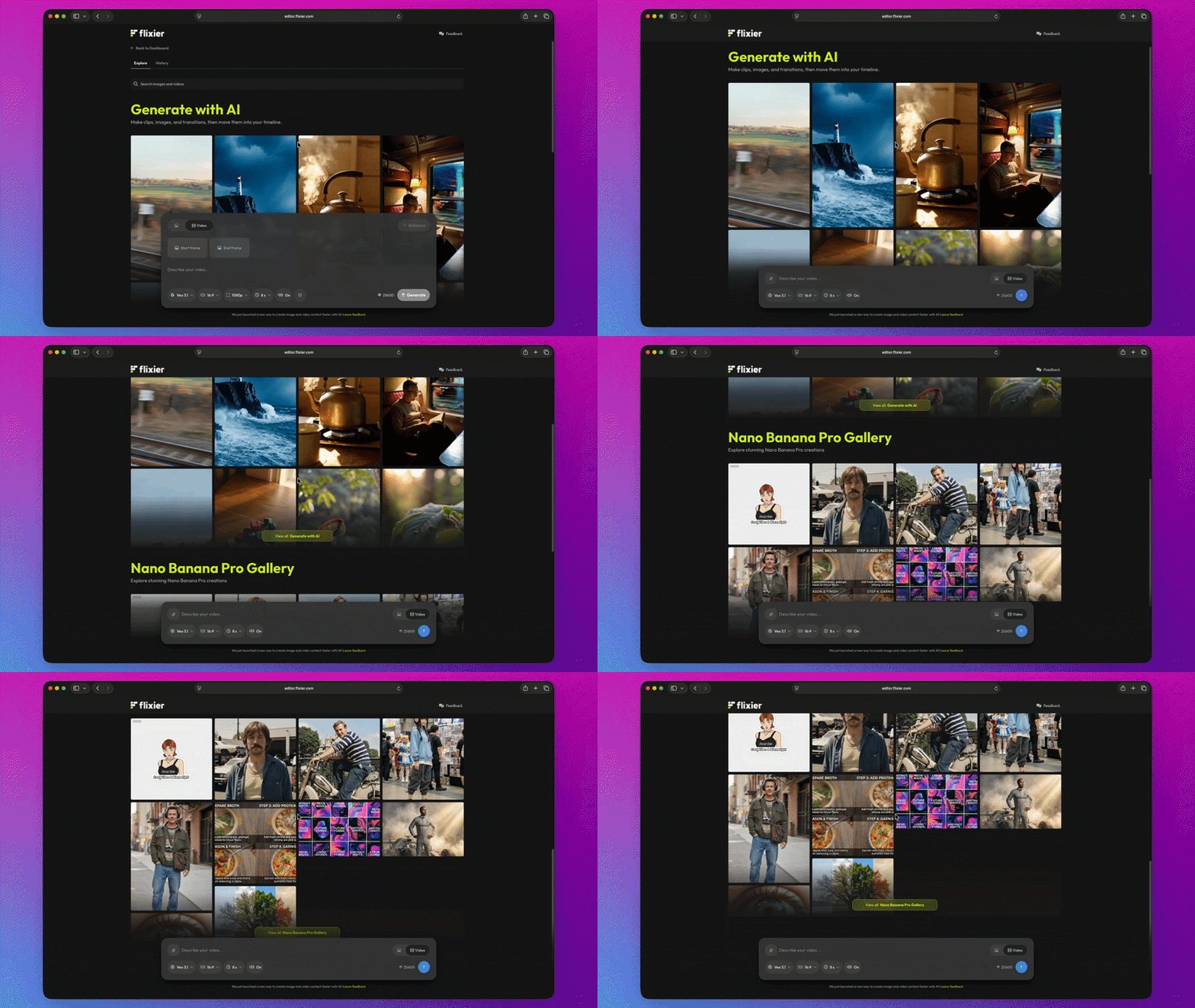
You can click on any of the examples here to see the prompt that we used to create it, as well as the reference photos. Feel free to copy or tweak the prompt, or click Import in Editor to add it to one of your projects!
History
The history tab helps you keep track of all the videos and images you generated. Use the search bar to easily find past work, take another shot at it by tweaking the prompt, or add it to one of your Flixier projects.
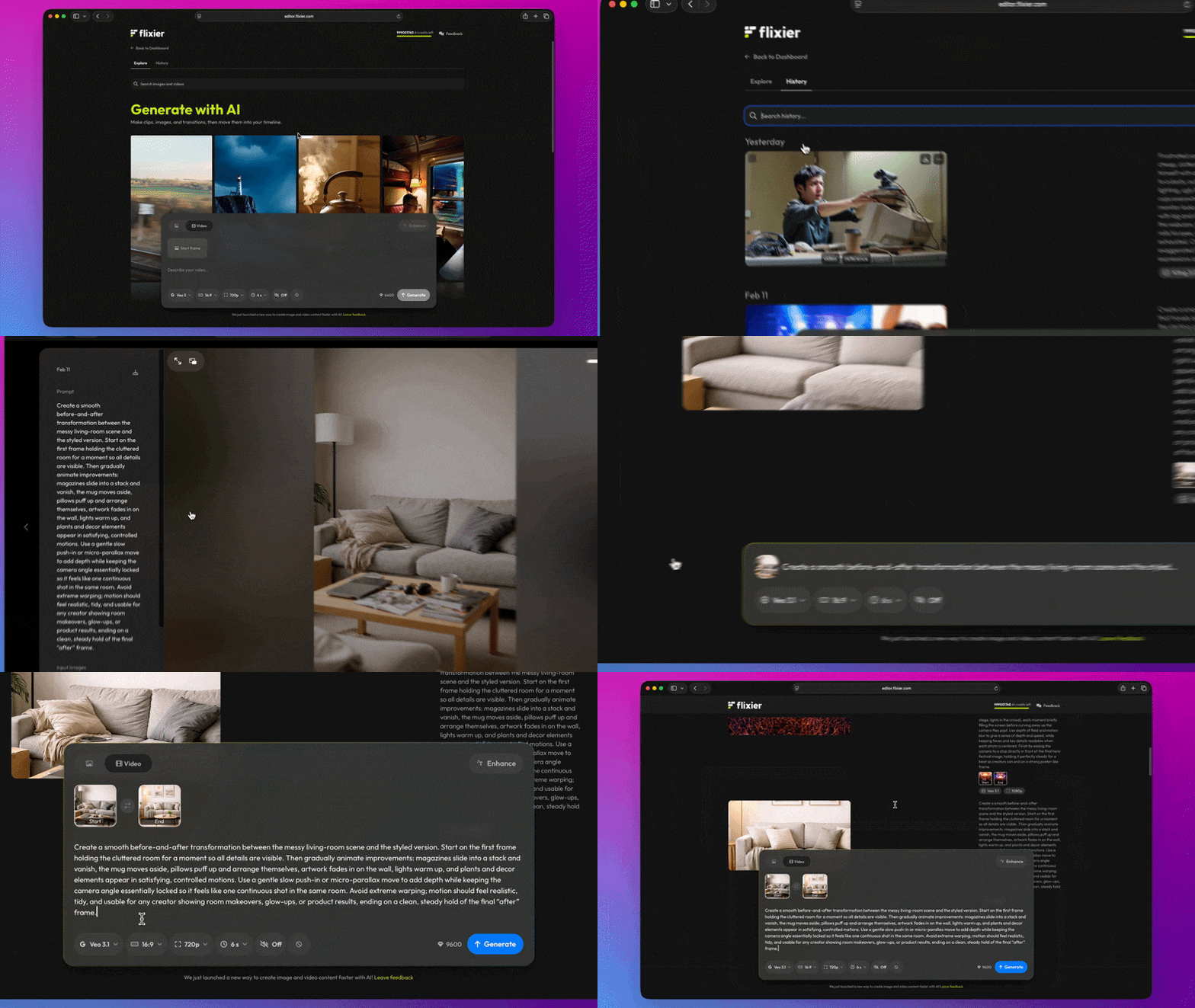
The History tab also gives you the option to turn previously generated images into videos, or use them as a reference for the video models!
Try it out for yourself by clicking the Generate button at the top of your dashboard, or by following this link!