Announcements
Find out about our latest product changes as we continue improving Flixier to enable your team to make amazing videos

Our new AI Video Enhancer is live!
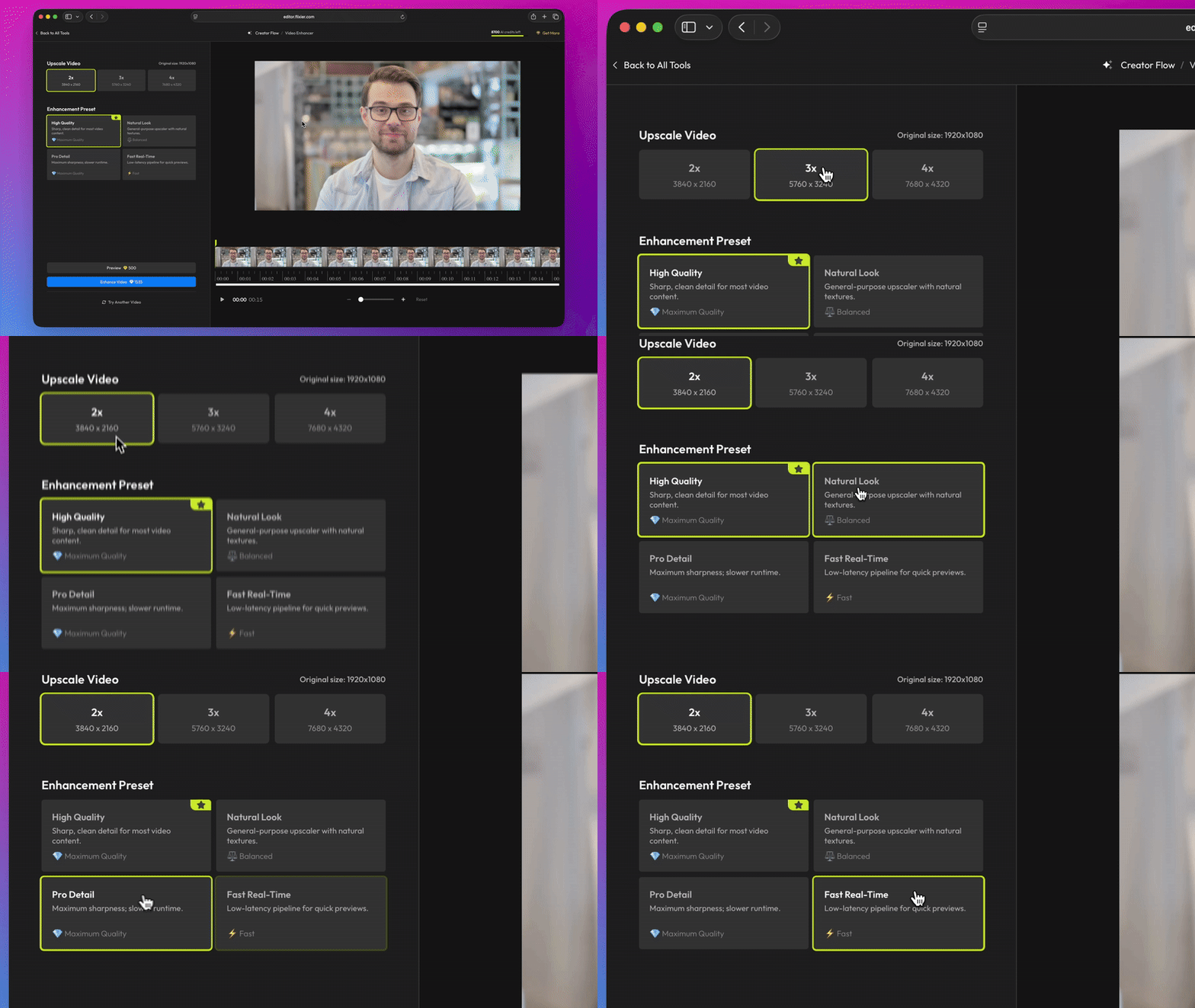
We’re excited to share our new AI Video Enhancer tool. You can use it to upscale your videos by 2x, 3x, or 4x, up to a maximum resolution of 4K. It also increases sharpness, reduces grain, and reduces color blotching.
You can also pick between four different enhancement presets:
- High Quality offers sharp details and is suitable for most types of content.
- Pro Detail is the sharpest model, but it also takes longer to process
- Natural Look focuses on retaining natural textures to avoid over-sharpening
- Fast Real-Time is the fastest preset and is perfect for longer videos that need to be done quickly.
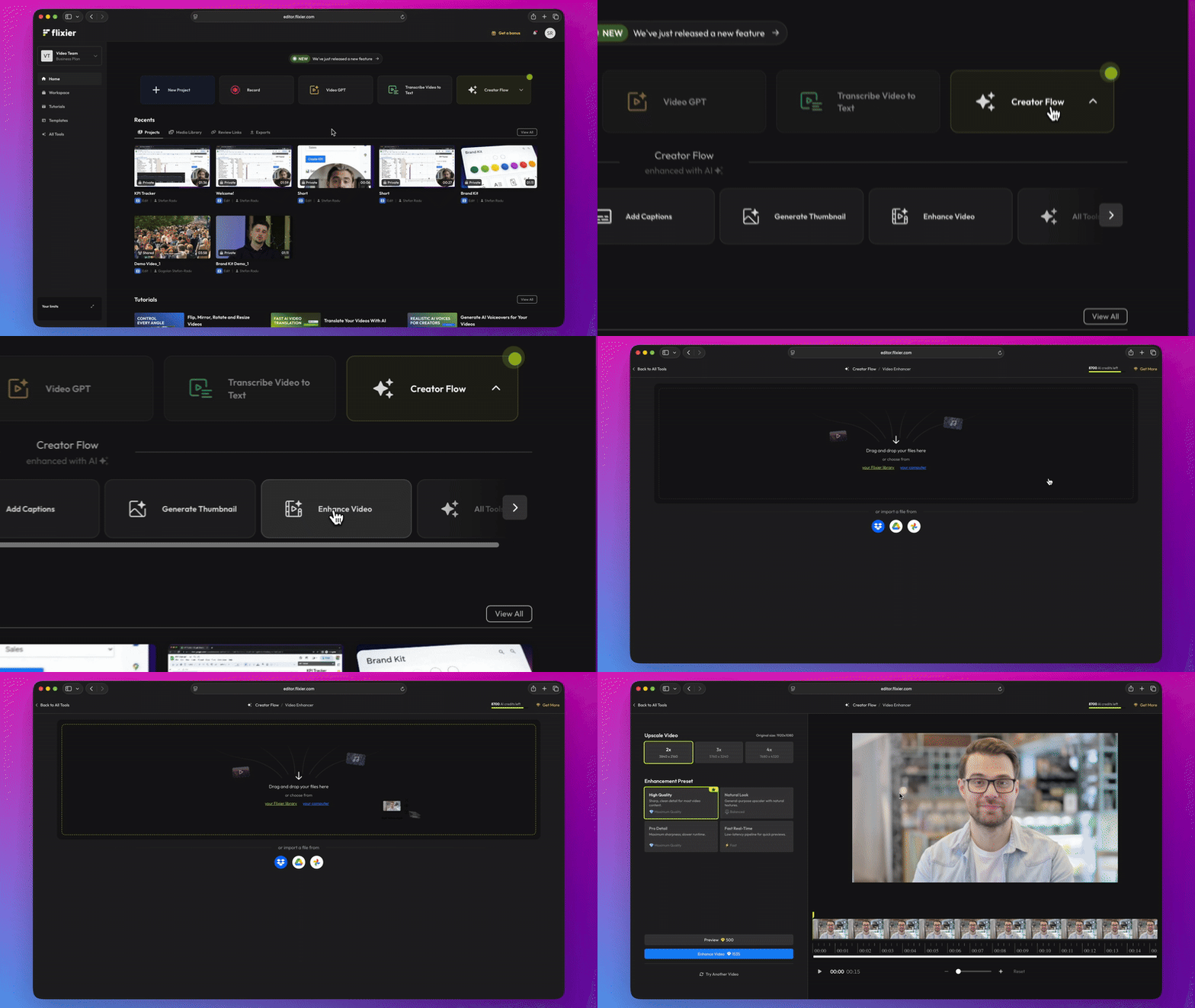
Here’s how it works:
Upload a video from your computer or pick one from your Flixier library.
Choose the upscale factor and one of the four enhancement presets.
Click Preview to enhance a short, 5-second sample of your video and see what it would look like, or click Enhance Video to upscale your whole clip.
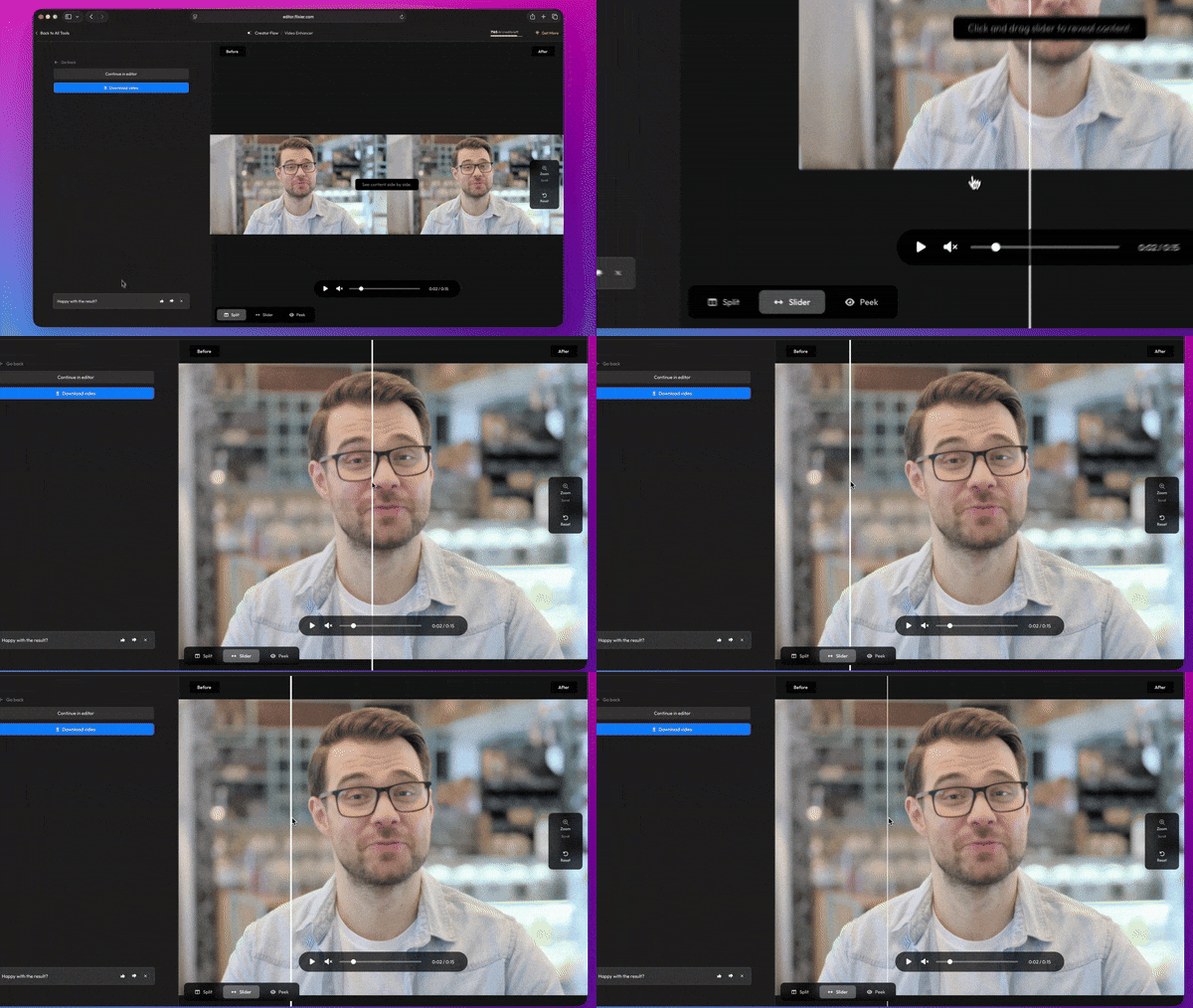
When your video is done, you can use the detailed Preview Menu to compare the Before and After videos side-by-side.
You can find the new Video Enhancer in the Creator Flow menu, or learn more about it here!