12 Best Video Editing Software for Vlogging in 2026: A Complete Guide
Published on February 13, 2026
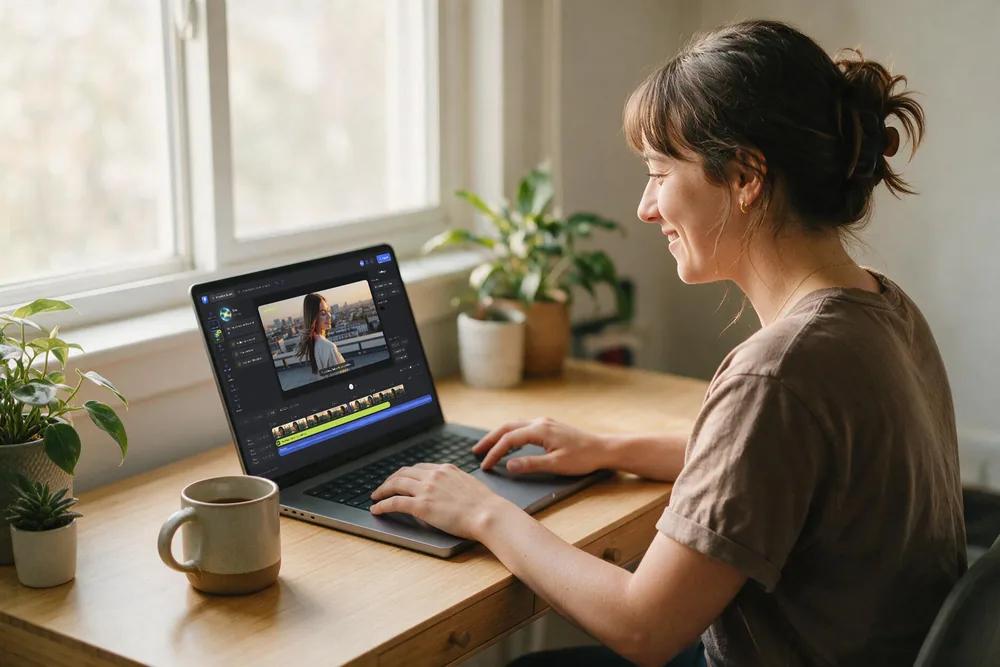
Table of contents
- Top Vlogging-Friendly Editors At a Glance
- Flixier: Best Online Video Editor for Fast Vlogging
- Adobe Premiere Pro: For Professional YouTube Vloggers
- Final Cut Pro: Fast, Stable Editing for Mac Vloggers
- DaVinci Resolve: Best Free Editor for Cinematic Vlogs
- CapCut: Best for Short-Form Social Vlogs
- Filmora: Beginner-Friendly Editor with Plenty of Templates
- iMovie: Best Free Option for Apple Users
- VEGAS Pro: Powerful Timeline Editor for Windows
- CyberLink PowerDirector: Feature-Rich Windows Editor
- LumaFusion: Pro-Level Mobile Editing
- VN Video Editor: Free, Lightweight Editor
- Adobe Premiere Rush: Simple Cross-Device Editor
- How to Choose Video Editing Software for Vlogging
- Final Thoughts
Vlogging has virtually exploded across YouTube, TikTok, Reels, and Shorts, but there's one thing that consistently slows creators down: editing. Clunky software, painfully slow exports, confusing interfaces, intrusive watermarks, or tools that feel either overwhelmingly complex or frustratingly limited can transform what should be a simple vlog into a time-consuming ordeal.
This guide cuts through the noise to focus specifically on video editing software built for vlogging, not just general filmmaking. You'll find a carefully curated selection of desktop, mobile, and browser-based editors, complete with their standout features, honest pros and cons, and pricing information to help you choose what fits your workflow and budget.
Top Vlogging-Friendly Editors At a Glance
- Flixier – best browser-based video editor for fast vlogs and instant collaboration
- Adobe Premiere Pro – best for professional YouTube channels and serious vloggers
- Final Cut Pro – best for Mac-based vloggers who want speed and stability
- DaVinci Resolve – best free editor for cinematic and color-heavy vlogs
- CapCut – best for short-form social vlogs (TikTok, Reels, Shorts)
- Filmora – beginner-friendly vlogging editor with lots of templates and effects
- iMovie – best free option for casual vloggers on Apple devices
- VEGAS Pro – powerful timeline editor for advanced effects and long-form vlogs
- CyberLink PowerDirector – feature-rich Windows editor with quick presets
- LumaFusion – pro-level mobile editing for iPad and iPhone vloggers
- VN Video Editor – free, lightweight editor for quick vlogs on phone or desktop
- Adobe Premiere Rush – simple cross-device editor for social-first vlogs
Flixier: Best Online Video Editor for Fast Vlogging
Flixier is a browser-based video editor engineered for speed and seamless sharing. Because it runs entirely in the cloud, you don't need a powerful computer to edit vlogs smoothly; your rendering happens on Flixier's servers, not your laptop.
Main Features for Vloggers
- Online editor that works on most laptops and desktops without installation
- Real-time collaboration with shareable review links for feedback
- AI-powered subtitle generation that automatically transcribes and syncs captions to your vlogs
- AI video generator to create videos from text prompts or scripts
- AI text-to-speech for professional voiceovers in multiple languages and voices
- Screen and webcam recording built-in for tutorials and talking-head vlogs
- Stock library with hundreds of videos, images, and audio tracks
- Video templates for quick intros, outros, and social media posts
- Direct exports optimized for YouTube, TikTok, Instagram, and other platforms
- Background remover to isolate subjects without a green screen
Pros
- Lightning-fast rendering thanks to cloud processing
- Works smoothly even on older or lower-end machines
- Easy project and preview sharing with clients or team members
- No installations, downloads, or heavy updates to manage
- AI features that saves times but doesn’t take away control
Cons
- Requires a stable internet connection to edit
Best For
Vloggers who want to edit quickly from any computer, remote teams, creators on tight deadlines, and anyone who values fast turnaround with professional AI-powered features like automatic subtitles and voiceover generation.

Adobe Premiere Pro: For Professional YouTube Vloggers
Adobe Premiere Pro is the industry-standard editor trusted by YouTubers, agencies, and production teams worldwide. It's powerful, infinitely flexible, and built for serious editing work.
Main Features for Vloggers
- Advanced multi-track timeline for complex projects
- Professional color correction and grading tools
- Built-in audio editing with Adobe Audition integration
- Motion graphics templates via Adobe After Effects
- Seamless integration with the Adobe Creative Cloud ecosystem
Pros
- Extremely powerful and adaptable for any vlog style
- Massive plugin ecosystem and abundant online tutorials
- Perfect if you already use Photoshop, After Effects, or other Adobe tools
Cons
- Steeper learning curve, especially for beginners
- Subscription-only with no one-time purchase option
- Demands more powerful hardware compared to simpler editors
Best For
Full-time vloggers, professional editors who take on client work, and creators who need complete control over every aspect of their video production.

Final Cut Pro: Fast, Stable Editing for Mac Vloggers
Final Cut Pro is Apple's professional video editor, meticulously optimized for macOS. It's celebrated for its blazing speed, silky-smooth playback, and rock-solid stability.
Main Features for Vloggers
- Magnetic timeline for lightning-fast rearranging and trimming
- Optimized performance on Mac hardware (especially Apple Silicon chips)
- Professional color correction and grading capabilities
- Built-in library of titles, transitions, and effects
- Support for third-party plugins and templates
Pros
- Exceptionally fast and responsive on compatible Macs
- One-time purchase with no recurring subscription fees
- Deep integration with the Apple ecosystem
Cons
- Mac-only—no Windows or web version available
- The magnetic timeline requires adjustment if you're switching from other editors
Best For
YouTube vloggers and content creators fully invested in the Apple ecosystem who want a fast, stable editor without monthly subscription commitments.

DaVinci Resolve: Best Free Editor for Cinematic Vlogs
DaVinci Resolve started as professional color grading software and evolved into a full-featured video editor. Its free version is remarkably powerful, making it a top choice for vloggers who want high-end capabilities without the price tag.
Main Features for Vloggers
- Industry-leading color correction and grading tools
- Professional multi-track timeline editing
- Built-in audio post-production with Fairlight
- Motion graphics and visual effects with Fusion
- Free version includes most features (paid Studio version adds collaboration and advanced tools)
Pros
- Outstanding color grading capabilities for cinematic looks
- One-time purchase for Studio version (no subscription)
- Regular updates and active user community
Cons
- Steeper learning curve than beginner-focused editors
- Requires more powerful hardware for smooth performance
- Interface can feel overwhelming initially
Best For
Vloggers who prioritize cinematic color grading, creators transitioning from beginner tools to professional editing, and budget-conscious editors who want premium capabilities.

CapCut: Best for Short-Form Social Vlogs
CapCut, developed by ByteDance (TikTok's parent company), is designed specifically for short-form vertical video content. It's become the go-to editor for TikTok, Instagram Reels, and YouTube Shorts creators.
Main Features for Vloggers
- Mobile and desktop versions with cloud sync
- Extensive library of trending effects, transitions, and music
- Auto-captions with customizable styles
- Built-in templates optimized for viral formats
- Direct export to TikTok and other social platforms
Pros
- Completely free with no watermarks (currently)
- Intuitive interface perfect for beginners
- Constantly updated with trending effects and features
- Seamless mobile-to-desktop workflow
Cons
- Limited advanced editing capabilities compared to pro tools
- Primarily focused on short-form vertical content
- Privacy concerns given ByteDance ownership
Best For
TikTok creators, Instagram Reels producers, YouTube Shorts vloggers, and anyone focused primarily on short-form vertical video content.

Filmora: Beginner-Friendly Editor with Plenty of Templates
Wondershare Filmora positions itself between basic free editors and professional tools, offering an accessible interface packed with creative assets and effects.
Main Features for Vloggers
- Drag-and-drop interface with intuitive controls
- Extensive library of effects, transitions, and titles
- Built-in stock media and music library
- Screen recording and basic motion tracking
- AI-powered features like silence removal and audio enhancement
Pros
- Very beginner-friendly with minimal learning curve
- Affordable pricing compared to professional tools
- Regular updates with new effects and templates
- Good balance of simplicity and creative options
Cons
- Watermark on free version exports
- Less powerful than professional editors for complex projects
- Some advanced features require additional purchases
Best For
Beginner vloggers who want more creative options than basic editors offer, creators who prioritize ease of use over advanced control, and hobbyist vloggers on a budget.

iMovie: Best Free Option for Apple Users
iMovie is Apple's free video editor for Mac, iPad, and iPhone. While not as powerful as Final Cut Pro, it offers surprising capabilities for casual vlogging without any cost.
Main Features for Vloggers
- Clean, intuitive interface designed for beginners
- Built-in themes and templates for quick projects
- Seamless integration across Apple devices
- Green screen effects and basic color correction
- Direct sharing to YouTube and social platforms
Pros
- Completely free for all Apple users
- Very easy to learn with minimal complexity
- Smooth performance on Apple hardware
- Projects sync across Mac, iPad, and iPhone
Cons
- Mac/iOS only, no Windows or Android support
- Limited compared to professional editors
- Fewer effects and customization options
Best For
Casual vloggers on Apple devices, beginners just starting with video editing, and creators who need quick, simple edits without learning complex software.

VEGAS Pro: Powerful Timeline Editor for Windows
VEGAS Pro (formerly Sony Vegas) is a professional Windows-based editor known for its flexible timeline and powerful editing capabilities, particularly popular among gaming vloggers and tutorial creators.
Main Features for Vloggers
- Highly customizable multi-track timeline
- Advanced audio editing and mixing capabilities
- Extensive effects and compositing tools
- Support for high frame rate and 4K footage
- Third-party plugin support
Pros
- One-time purchase option available (no forced subscription)
- Powerful features rivaling other professional editors
- Strong audio editing capabilities
- Good performance on Windows systems
Cons
- Windows-only, no Mac version
- Interface feels dated compared to newer editors
- Steeper learning curve for beginners
Best For
Windows-based professional vloggers, gaming content creators who need robust audio mixing, and editors who prefer one-time purchases over subscriptions.

CyberLink PowerDirector: Feature-Rich Windows Editor
PowerDirector offers a comprehensive Windows editing solution with an extensive feature set, AI-powered tools, and quick rendering speeds.
Main Features for Vloggers
- Fast rendering with hardware acceleration
- AI-powered features like motion tracking and background removal
- 360-degree video editing support
- Extensive effects library and templates
- Multi-cam editing capabilities
Pros
- Very fast rendering speeds on Windows
- Good balance of power and usability
- Affordable subscription or perpetual license options
- Regular updates with new features
Cons
- Windows-only (though mobile apps exist)
- Interface can feel cluttered with many options
- Some AI features require higher-tier plans
Best For
Windows vloggers who want professional features without the Premiere Pro price tag, creators who value rendering speed, and vloggers who need 360-degree video support.

LumaFusion: Pro-Level Mobile Editing
LumaFusion brings professional multi-track editing to iOS and iPadOS, making it the most powerful mobile editing solution for serious vloggers who edit on the go.
Main Features for Vloggers
- Six video and six audio tracks for complex projects
- Professional color correction and grading
- Keyframe animation capabilities
- Extensive effects and transitions
- External monitor support for iPad
Pros
- Most powerful mobile editor available
- Surprisingly robust for a mobile app
- Works with external storage and professional workflows
Cons
- iOS/iPadOS only (though recent ChromeOS release)
- Relatively expensive for a mobile app
- Learning curve steeper than simpler mobile editors
Best For
iPad and iPhone vloggers who need professional editing power on mobile, travel vloggers who edit on location, and creators who prefer iOS workflows.

VN Video Editor: Free, Lightweight Editor
VN Video Editor offers a surprisingly capable free editing experience across mobile and desktop platforms, with no watermarks or forced subscriptions.
Main Features for Vloggers
- Available on iOS, Android, and desktop
- Multi-track timeline editing
- Keyframe animation support
- Speed control and transitions
- No watermarks on free version
Pros
- Completely free with no watermark
- Lightweight and fast performance
- Surprisingly powerful for a free tool
- Clean, uncluttered interface
Cons
- Less extensive effects library than paid competitors
- Limited advanced features compared to professional tools
- Smaller community and fewer tutorials
Best For
Budget-conscious vloggers, creators who want a capable free editor without watermarks, and mobile-first editors who occasionally need desktop access.

Adobe Premiere Rush: Simple Cross-Device Editor
Premiere Rush is Adobe's simplified editor designed specifically for social media creators who need to edit quickly across multiple devices.
Main Features for Vloggers
- Simplified interface compared to Premiere Pro
- Cloud sync across mobile and desktop
- Built-in templates and motion graphics
- Direct export to social platforms
- Integration with Adobe Creative Cloud
Pros
- Much easier to learn than Premiere Pro
- Seamless workflow across devices
- Good integration with Adobe ecosystem
- Regular updates and reliable performance
Cons
- Limited features compared to full Premiere Pro
- Subscription required (though included with some Creative Cloud plans)
- Less flexibility for complex edits
Best For
Social media-focused vloggers, creators who edit on both mobile and desktop, and Adobe users who want a simpler alternative to Premiere Pro.

How to Choose Video Editing Software for Vlogging
Before downloading five different editors "just to test," it helps to understand what actually matters for vlogging success.
Platform and Device
Start with where you edit most often. Your operating system—Windows, macOS, iPad, or Android—immediately narrows your options. Consider whether you prefer editing on a laptop at home, a tablet while traveling, or directly on your phone right after shooting.
Ease of Use and Learning Curve
Some tools welcome beginners with drag-and-drop timelines, pre-built templates, and guided workflows. Others assume you're comfortable with layers, keyframes, and advanced controls. If you're new to editing, an intuitive interface will save countless hours of frustration.
Features That Matter Most to Vloggers
For most vlogs, you'll need multi-track editing for combining A-roll and B-roll, easy text and caption tools, straightforward color correction, and solid audio features like noise reduction and basic mixing. Templates for intros, outros, and transitions are valuable time-savers if you want polished videos without designing everything from scratch.
AI-powered features like automatic subtitle generation, text-to-speech, and background removal have become game-changers for vloggers who need to produce content quickly without sacrificing quality.
Export and Social Media Options
Quality vlogging editors simplify exporting for YouTube, TikTok, Reels, and Shorts without requiring you to guess technical settings. Look for platform-specific presets, support for both vertical and horizontal formats, and straightforward export workflows.
Collaboration and Cloud Workflow
If you work with a team, send videos for review, or edit across multiple devices, investigate each tool's cloud storage capabilities, shared project features, or web-based editing options. The ability to switch between devices seamlessly or share a review link can dramatically streamline your workflow.
Pricing and Budget
Decide what you're comfortable investing. Some tools offer free tiers with limitations, others require subscriptions, and a few provide one-time purchases. Watch for hidden costs like stock footage libraries, premium plugins, or additional cloud storage that might push you over budget.
This approach helps you choose an editor that genuinely fits your equipment, skill level, and the specific type of vlogs you want to create—rather than simply picking whatever's most popular.
Final Thoughts
The right video editing software can transform vlogging from a tedious chore into an enjoyable creative process. Whether you prioritize speed, professional features, mobile flexibility, or AI-powered automation, there's an editor on this list designed for your needs.
For creators who value speed, accessibility, and cutting-edge AI features without the hardware limitations, Flixier offers a compelling cloud-based solution that works anywhere you have internet access. Its combination of automatic subtitles, AI voiceovers, and instant collaboration makes it particularly well-suited for modern vloggers who need to move fast.
Ready to start creating? Choose the editor that matches your workflow, and remember: the best software is the one you'll actually use consistently.
Content writer with over 8 years of experience in digital marketing. When she's not deep in the writing zone, you'll find her on coffee dates with friends, writing poems, or taking photographs on film. Because all the best stories need a little caffeine, creativity, and color.