Transcribe Video to Text with AI
Turn spoken content into accurate, editable text in seconds, right in your browser. Extract transcripts, subtitles, or translations with no downloads or installs.

Over 500,000 creators use Flixier every day including brands like:





Extract Text from Video, Then Edit in the Same Timeline
Extract Text from Video Instantly
Break language barriers with ease. Our video-to-text converter supports over 100 languages, allowing you to transcribe and translate international content. Whether it's a webinar or an interview, you can ensure your message is clear for any viewer.
Support Global Audiences
Once your video is transcribed, you can add them as subtitles, have them translated into over 100 languages, or save the text files for further repurposing. Have your message delivered even with the sound off.
Convert and Export Any Format
Ensure your text is ready for any use case. Flixier allows you to export a transcript as a TXT file or a subtitle in multiple subtitle formats immediately after extraction so your content is always ready for distribution.
Continue Editing in Flixier
Once you converted your footage to text, continue your project in Flixier! Use our video repurposing AI to clean up your video by removing silences and pauses, or pull key moments and create vertical clips automatically, complete with dynamic captions.
How the Flixier Video to Text Converter Works
Who this is for

Marketers
Repurpose webinars and video ads into high-quality written copy for emails and landing pages. After generating your transcript with the converter, you can click through to our professional editing suite to polish your visuals for a different campaign.
See How It WorksEducators
Business Owners
Social Creators
Need more than a video to text converter?
Edit easily
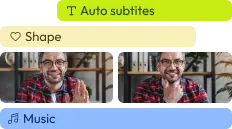
With Flixier you can trim videos or add text, music, motion graphics, images and so much more.
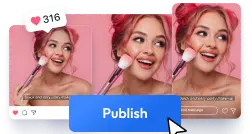
Publish in minutes
Flixier is powered by the cloud so you can edit and publish your videos at blazing speed on any device.

Collaborate in real-time
Easily collaborate on your projects with Flixier, we offer real-time feedback and sharing of projects.

Still have questions?
We got you!
Our AI-powered engine delivers a high accuracy rate for clear audio. It handles different accents and technical terminology intelligently, significantly reducing the time spent on manual corrections compared to traditional transcription services.
Yes. You can use Flixier to extract lyrics from music videos or live performances. The AI is designed to distinguish between melodic vocals and background instrumentation to provide a clean written version of the song's lyrics.
Absolutely. Video-to-text conversion supports 100+ languages, including Spanish, French, German, Chinese, and Hindi. You can even translate the extracted text into another language within the same project window.
You can upload and extract text from MP4, MOV, AVI, MKV, and more. Flixier handles the processing in the cloud, so you don't need to worry about file compatibility or your computer's processing power.
Yes. Whether you’re transcribing a short social clip or a two-hour webinar, Flixier’s cloud-powered engine handles large files with ease. Because the processing happens on our servers, you can extract text from video regardless of your computer’s hardware, ensuring a fast and smooth workflow for long-form projects.
Absolutely, just paste the TikTok video link into Flixier and extract the spoken audio as editable text in seconds.
Articles, tools and tips
Move from a raw recording to a perfectly formatted transcript without ever switching tools. Extract text from your video, refine the script, and export instantly.
