Announcements
Find out about our latest product changes as we continue improving Flixier to enable your team to make amazing videos
Color Match is now live!
We’ve just launched a new tool which allows you to copy the color grading of any image (or video) and apply it to your own clips in seconds! You can adjust the color saturation and contrast, and even save the new color grade as a 3D LUT file.
Here's how it works:
Open a project and go to the Filters tab on the left:
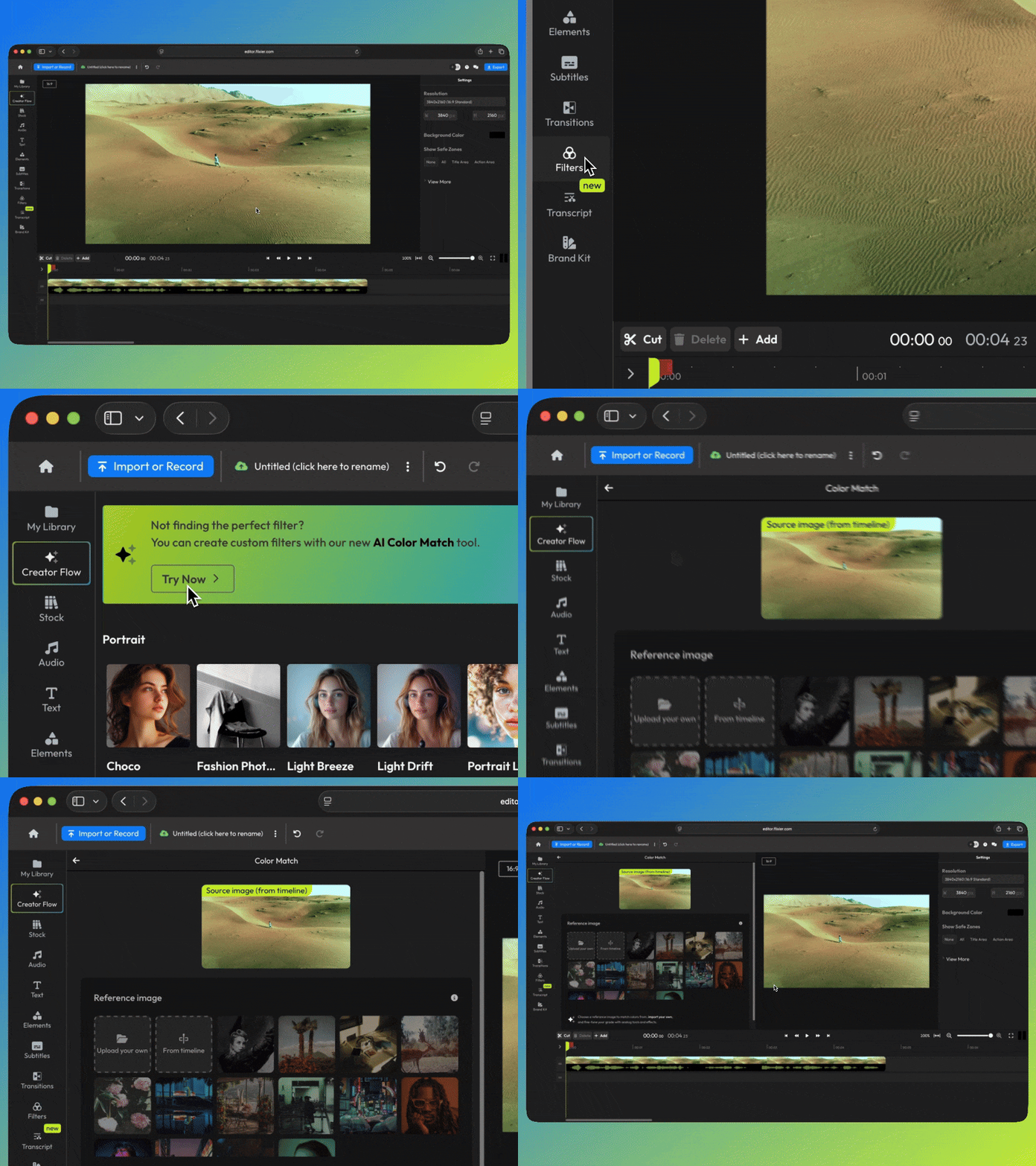
Choose your reference image. This is the image that you want to copy the colors from. You can upload your own reference, choose a frame on the timeline, or pick from one of our existing presets.
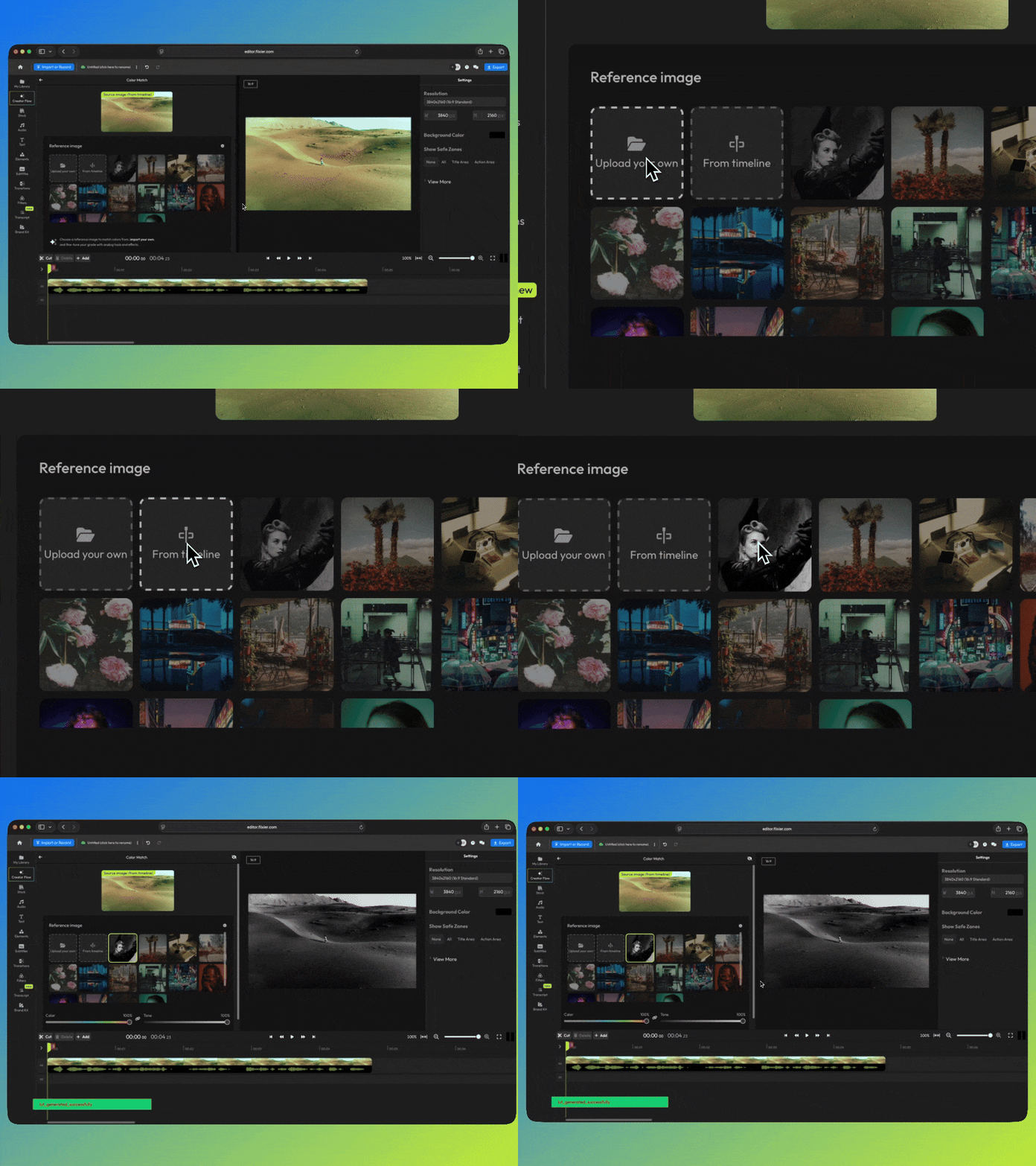
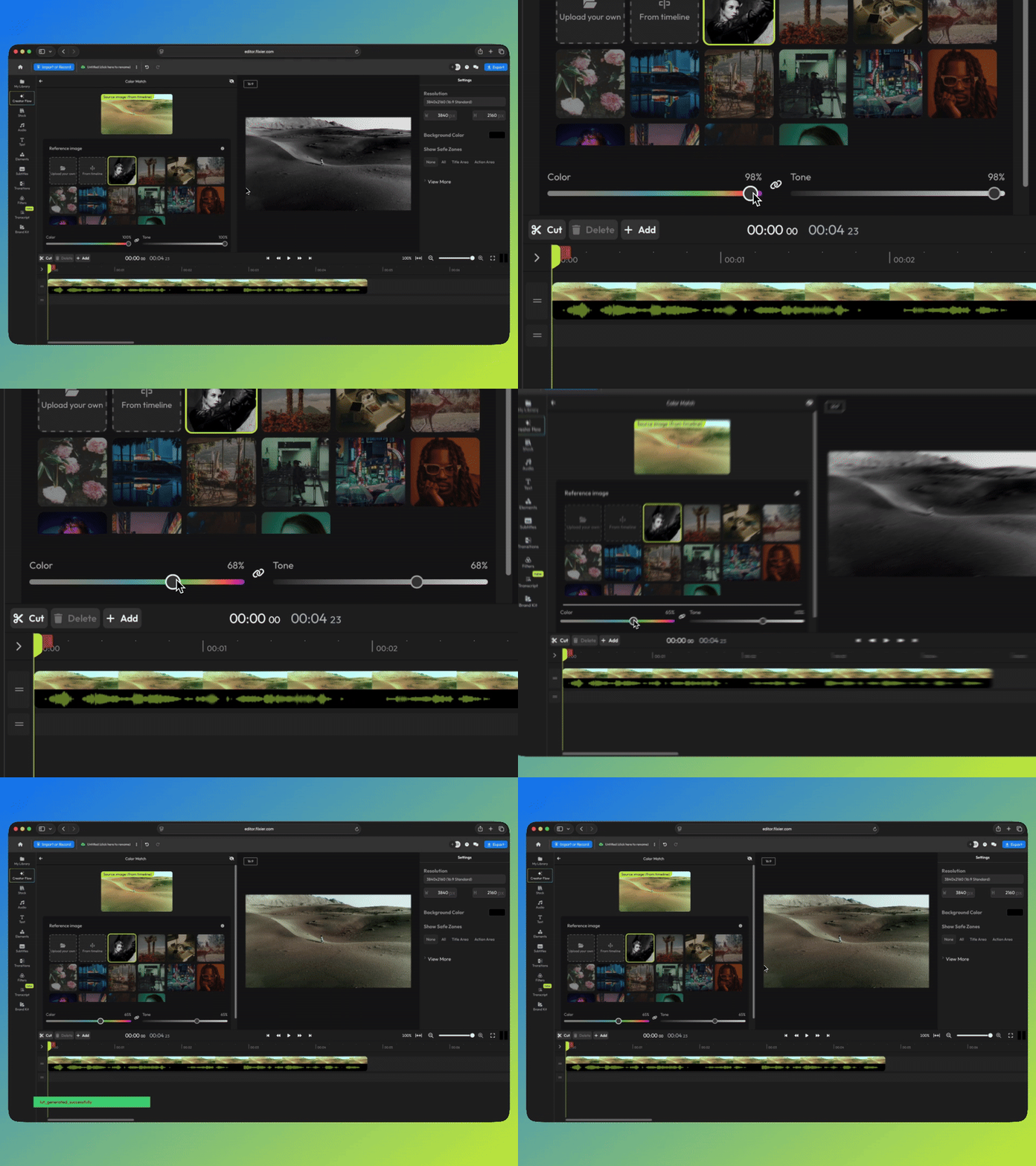
After the AI copies the grade, use the sliders at the bottom of the menu to tweak the color intensity and contrast/exposure.
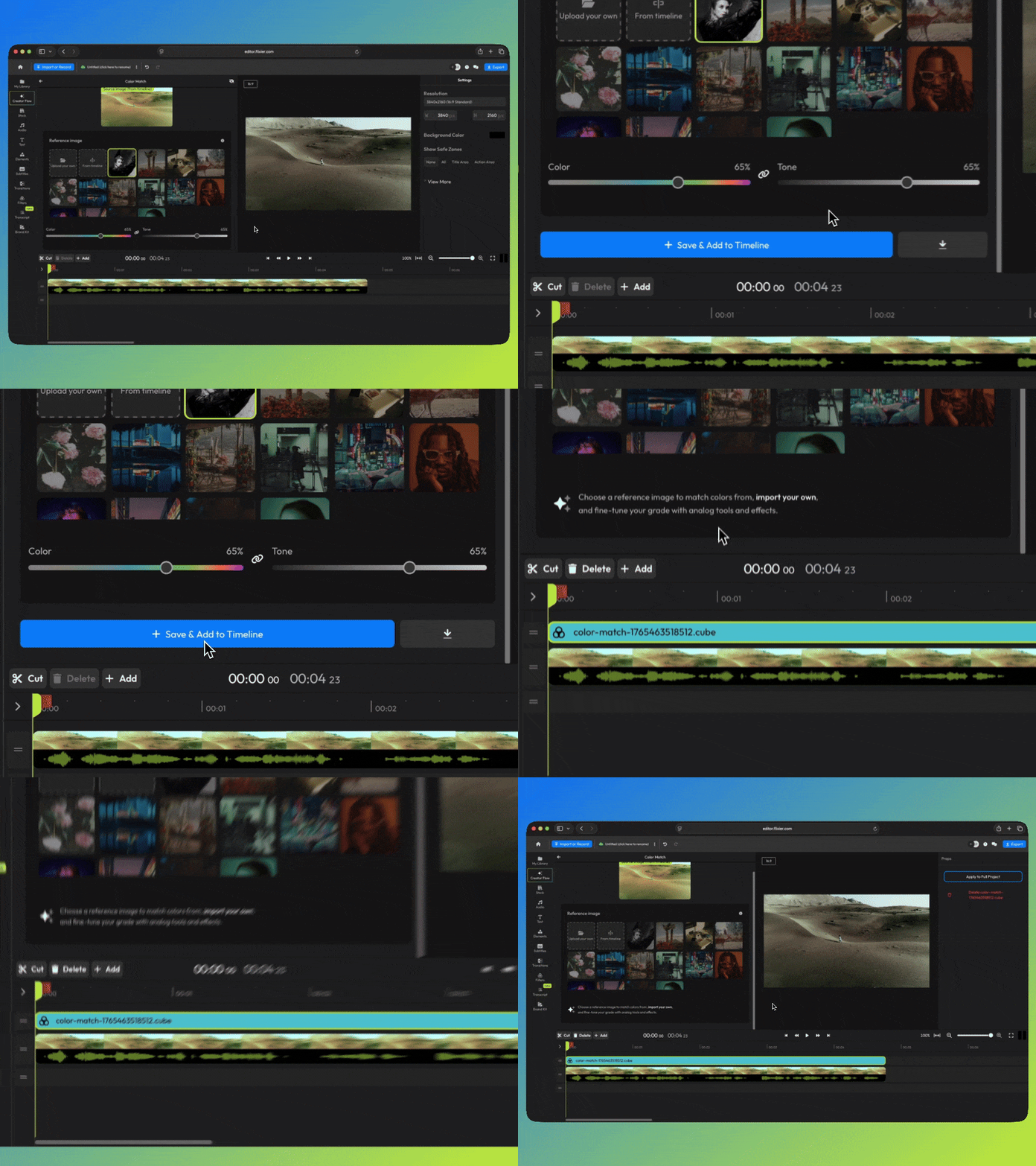
When you're happy with how it looks, click Save & Add to Timeline to apply your grade, or click the Download button to the right to save the new LUT to your device.
Learn more about Color Match, or try it out for yourself right now!
finished videos
