Announcements
Find out about our latest product changes as we continue improving Flixier to enable your team to make amazing videos
Flixier Team
NEW Flixier Teams 2.0
Hey everyone! We are excited to share with you our new and improved collaboration features.
We know how important collaboration is in the video editing process so we wanted to make it even easier for you to work with multiple teams and accounts. Here is what's new:
- You can now create multiple teams and share projects in them.
- Manage multiple teams and accounts.
- Manage storage of removed team members
- We also redesigned the team user interface to make it even easier to use.
So, go ahead and give Flixier Teams a try and let us know what you think. We’re excited to hear your feedback!
Happy sharing!
Animate simple text with transitions
NEW Brand new Text Transitions
We have some great news to share with you today – we just released a brand new set of text transitions! 🔥🔥🔥
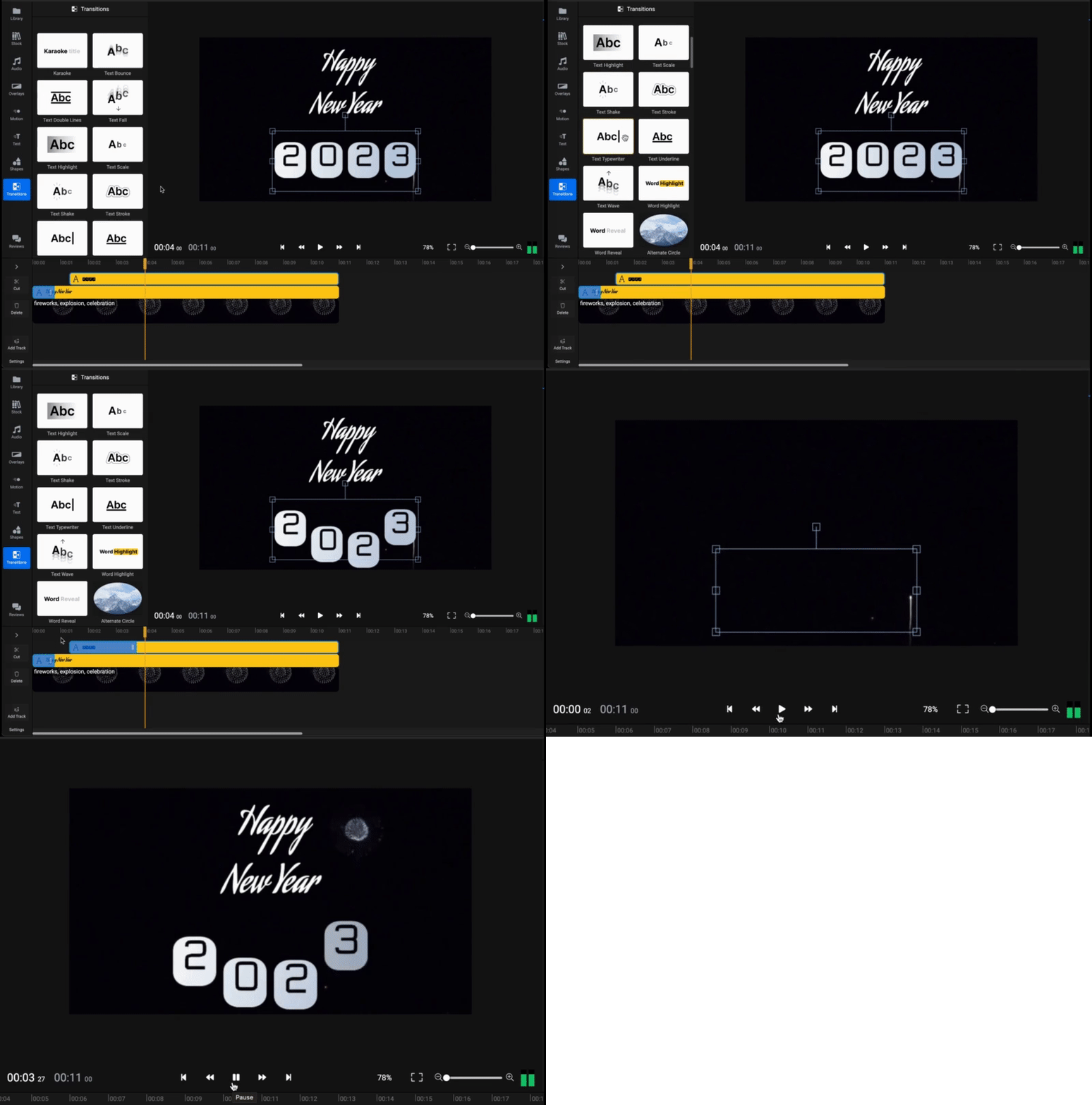
This new feature allows you to animate text and add some extra flair to your videos, and we think you’re going to love it. To use the new text transitions, simply add a text to your video and then drag and drop a Text Transition from the Transitions panel.
You can then choose from a variety of different transitions, including:
- Typewriter
- Word Reveal
- Word Highlight
- Wave
- Karaoke
IMPROVEMENT Shadows on text objects
We're excited to announce that Flixier now supports shadows on text objects! This is a great addition if you want to add some extra depth and dimension to your text.
To use this new feature, simply click on the "Shadow" tab in the Text Properties panel. You can then adjust the shadow's blur, color, and distance from the text object.
We hope you enjoy this new feature, and as always, we would love to hear your feedback.
Happy editing!!!
Inline Styling for Text
NEW Inline Styling for Text
A highly requested and long awaited feature, you can finally style individual words in text boxes! Simply select individual words or letters and adjust their font, color, style, and more in the Properties menu.

IMPROVEMENT Text and shape performance
Flixier has made some great strides in improving text and shape performance in canvas. We hope that these changes will make your experience using Flixier even better.
As always, we're grateful for your feedback and we hope you enjoy the new and improved Flixier!
Work faster in the timeline
NEW Delete Gaps at hover
Flixier has a new feature that lets you delete gaps at hover. This is helpful if you want to tidy up your timeline or get rid of unused space. To use this feature, simply hover over the gap you want to delete and click the delete button.

IMPROVEMENT Dynamic font size
Flixier now supports dynamic font size at resize in canvas! This new feature enables you to automatically adjust the font size when you resize your text object in canvas, making it easier to create consistent, high-quality and pixel perfect videos.
IMPROVEMENT Dynamic Tracks
From now on, the height of each track on the timeline will be automatically adjusted based on the type of object it contains. So if you have a lot of audio or video clips, the track will be taller to accommodate them, but if you have mostly texts, it will be shorter.
This makes it easier to keep your project organised and avoid clutter.
As always, we're constantly working to improve Flixier and make it the best video editing tool out there. If you have any suggestions or feedback, we'd love to hear from you.
Auto Subtitles, TTS & Text Tweaks
We've just released a new update to Flixier and we're excited to share it with all of you 🥳🥳
IMPROVEMENT Select language for auto subtitle
Sometimes when your video is in a language different than English Flixier might have problems detecting the language. We're happy to announce that you can now select the language that is being spoken in your video to overcome such issues. To use this feature, simply go to the Generate Auto Subtitle section in the Inspector panel and select the appropriate language. Flixier will then automatically generate subtitles in that language for your videos.
NEW Highlight Text and modify padding and radius manually
Now you have even more control for making your text look as stylish as possible. You can highlight text and modify background padding and radius without using a text preset, just apply these settings on any text by selecting it and going to the top right of the Inspector panel.

IMPROVEMENT Text to Speech new voices
We added new voices for Text to Speech generation.
IMPROVEMENT Text to Speech Catalan language
You can now generate Speech and voice overs for your videos in Catalan.
New Color Eyedropper and Transcribe fixes
IMPORTANT BUG FIX Transcribe bug fix
We fixed an issue with transcription that was causing some users to get stuck on progressing. This should make the transcription process much smoother for everyone.
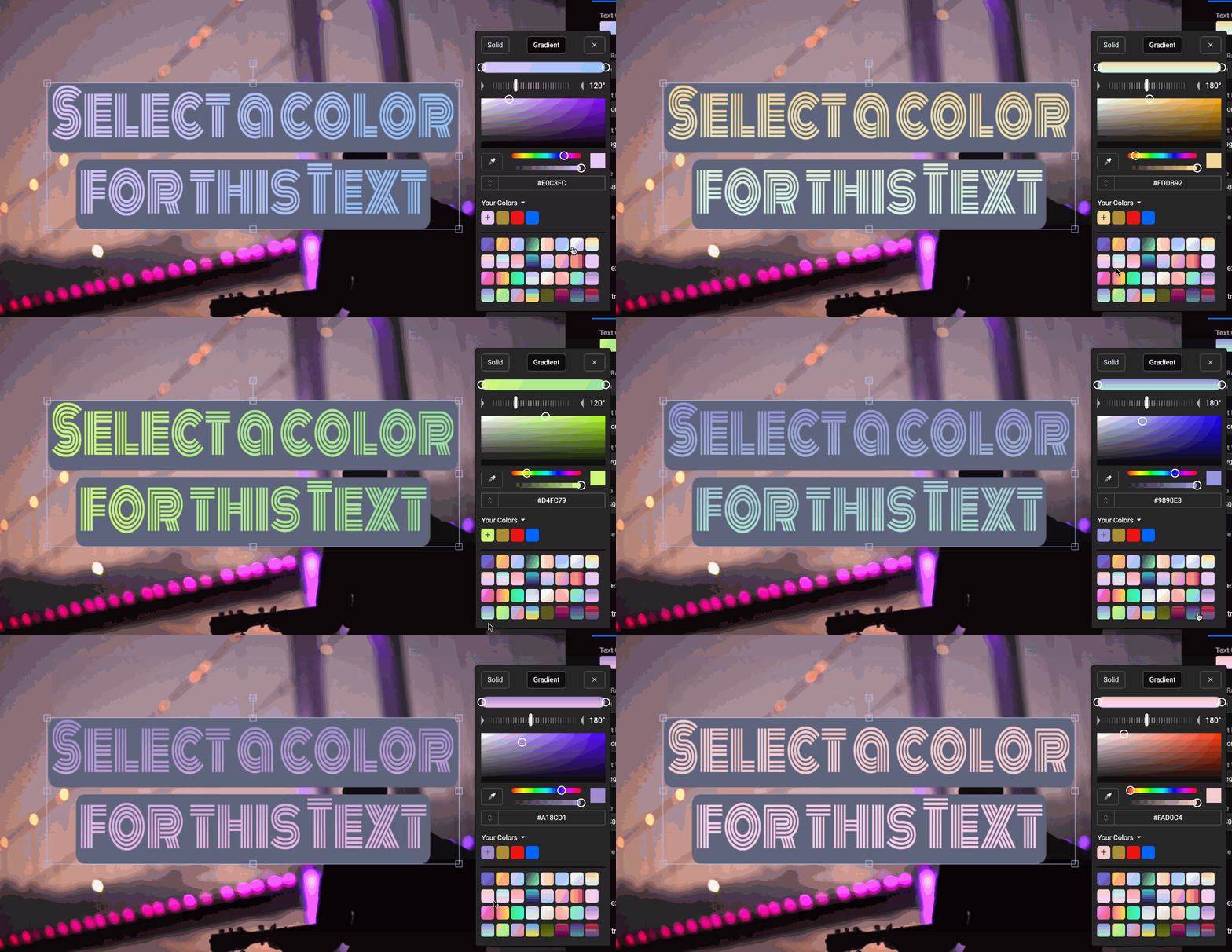
NEW Color Presets! 🎨
We made it even easier to find the right color for items like text or shapes in your video. The newly added solid and gradient color presets come as a super fast way to get started with colors in Flixier! Give it a try and let us know what you think!
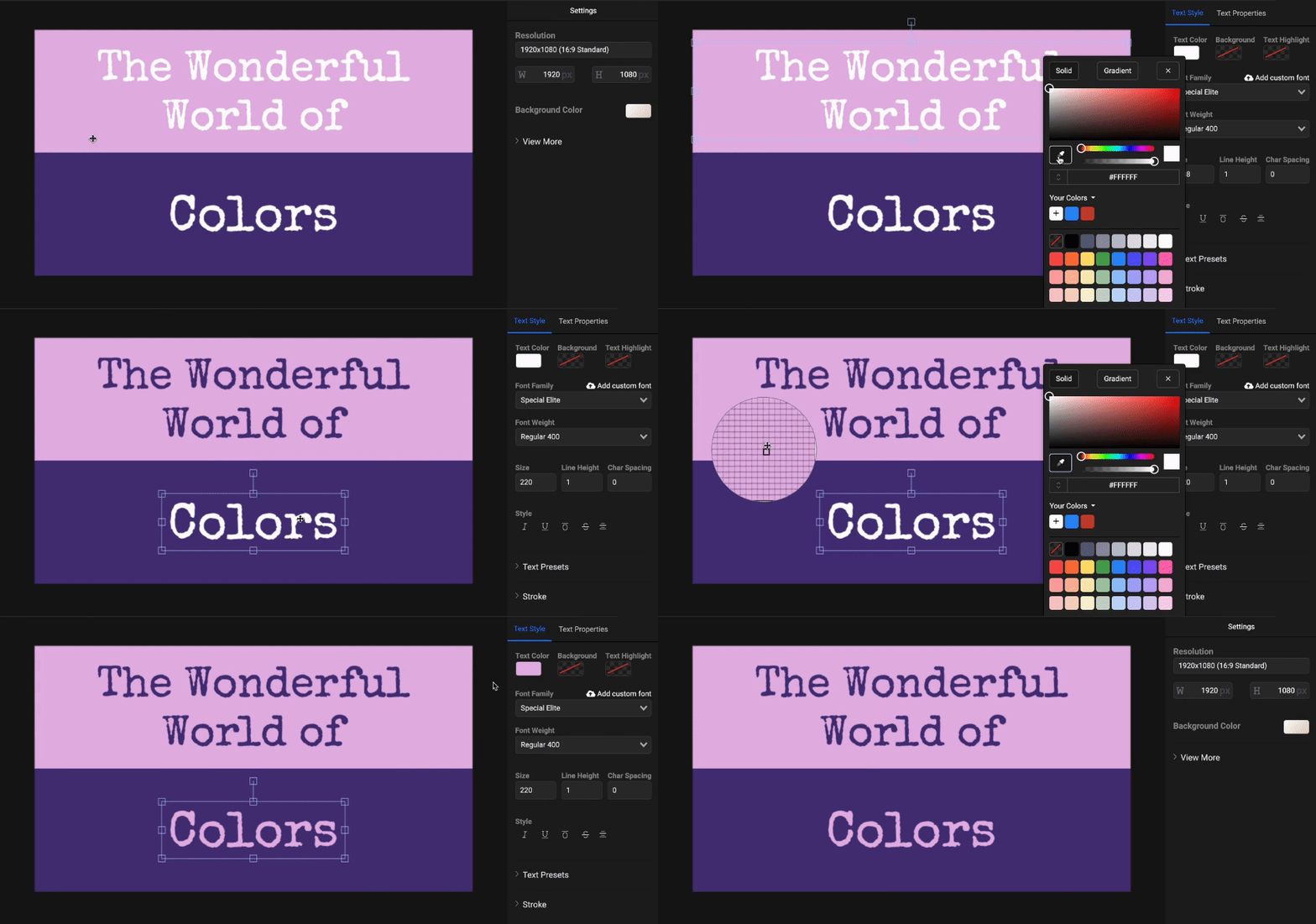
NEW Select colors faster with the new Color Eyedropper 🎨🎨
Flixier has a new feature - the Color Eyedropper in Color Picker! Now, you can get a Color Hex Code from any video or image you're working on with just a few clicks. This is a great way to make sure your video project has a consistent color scheme, or to find a color you really like and want to use in your project. Just click the eyedropper icon in the Color Picker, then click on the video part to get the color code.
Beautiful Text and Subtitle Style Presets
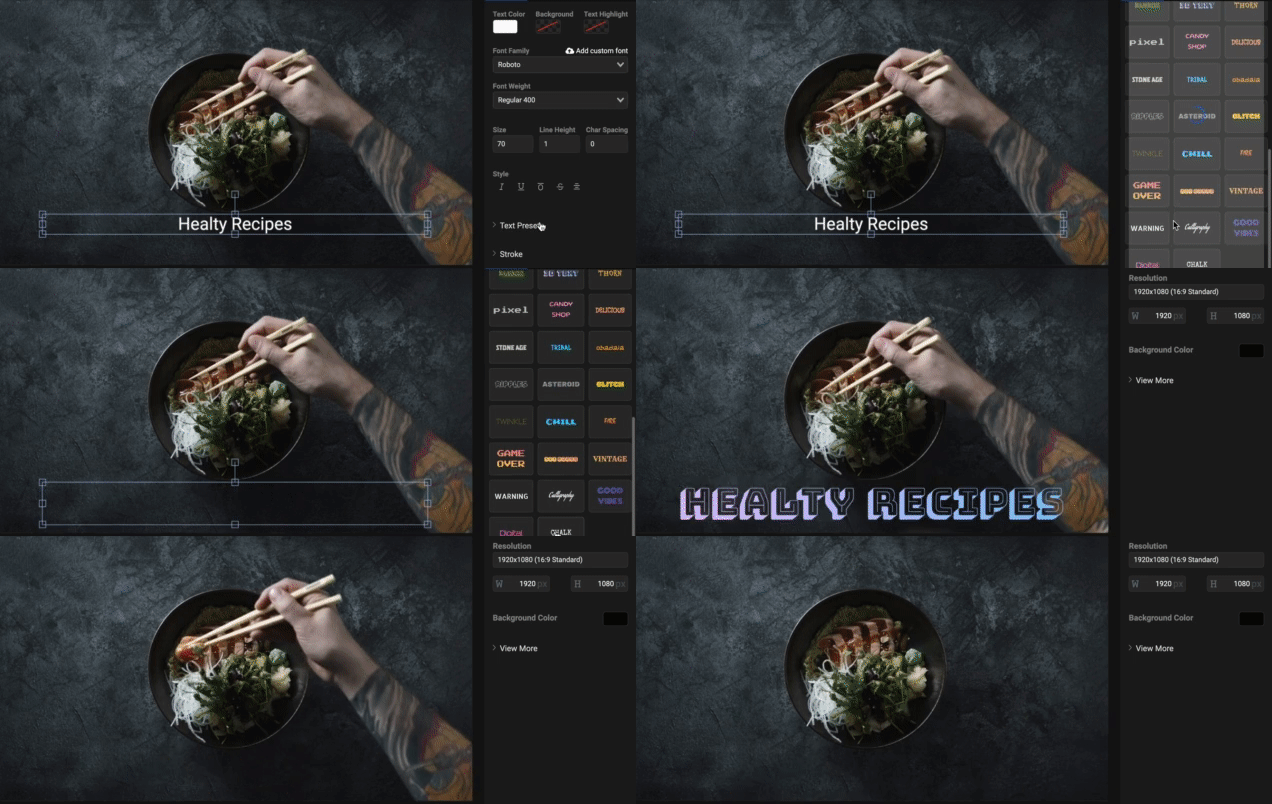
NEW Text Style Presets! 💅💅
Today we are introducing a new feature that will make text customisation even easier and more fun: Style Presets! There are a variety of presets to choose from so you can quickly and easily apply pre-made styles to your text, or use them as a starting point for creating your own custom styles.
NEW Subtitle Style Presets! 💅💅
Subtitles are a must in video these days and we just made it way easier for you to add super stylish subtitles to your content. Choose from our Style Presets to create subtitles with backgrounds, add rounded corners or change the highlight colors to get the right feel for your video in just a few clicks. As usual you can go deeper and customise colors, fonts and much more.
.gif)
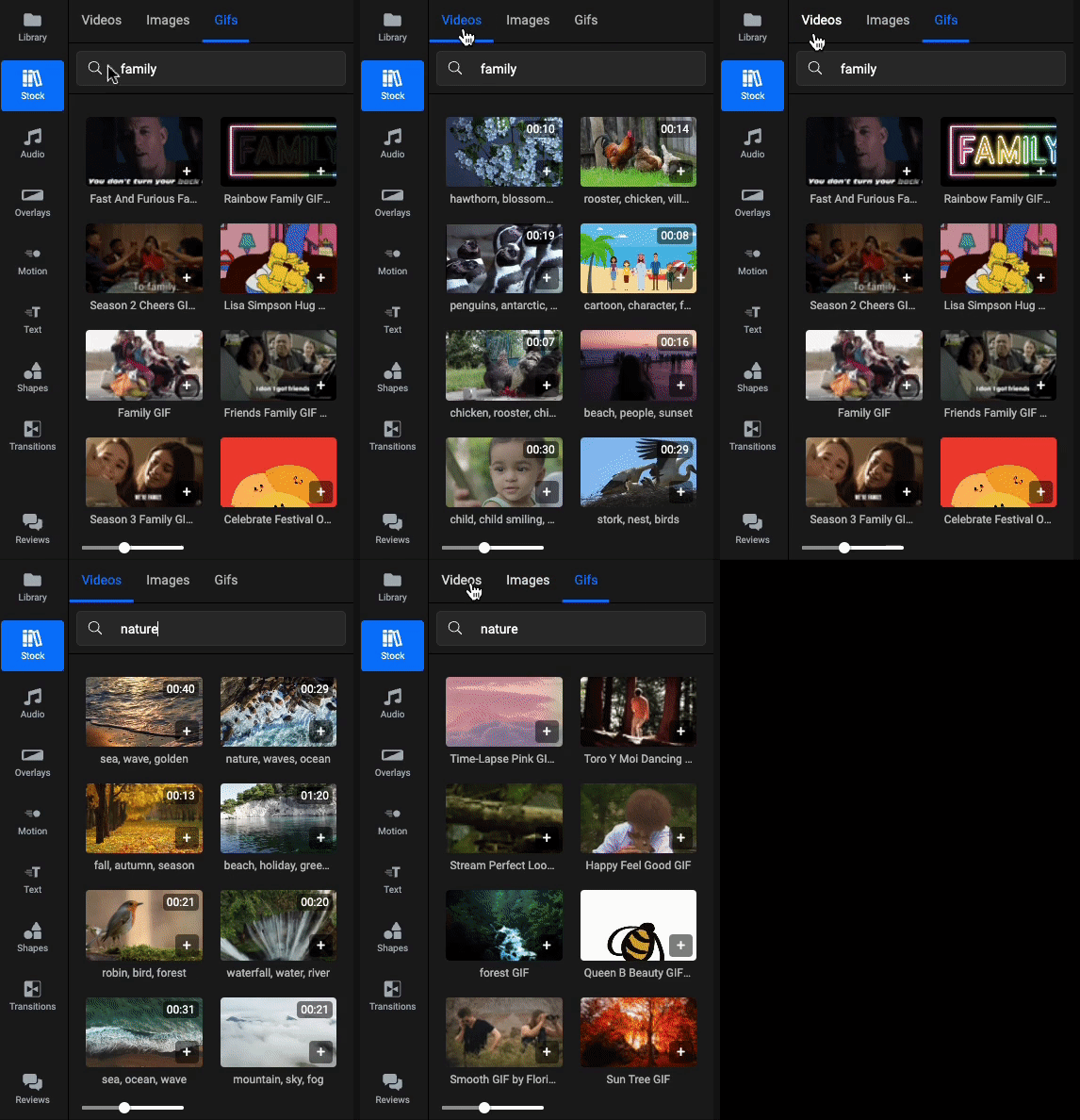
IMPROVEMENT Improved stock library browsing
Flixier has always had great support for external libraries, but we've just made it even better. Now we combined all the external libraries into a single library, STOCK , making it even easier to browse them and search for the right asset for your video.
IMPROVEMENT Improved subtitle auto scrolling for easier editing
When you select a subtitle, the Timing Tab will automatically scroll so that the subtitle is in view. This makes it easier than ever to edit your long subtitles.
Loop Video and Audio
NEW Loop Video and Audio super fast 🔁🔁
We're excited to announce that Flixier now allows you to loop video and audio with just a few clicks! This means that you can now keep your favorite content playing on repeat without having to manually copy/paste it each time.
To use this new feature, simply select the video and click on the "Loop Video" from props panel. Choose a preset loop time or enter a custom one and you're done!!!

NEW Multiple language support 🌍
Flixier now supports multiple languages! We know that many of our users are international, and we want to make sure that everyone can use our product. We hope that this new feature will help more people create amazing videos. We are starting with Spanish but we'll add support for additional languages in the near future.
As always, please feel free to reach out to us with any questions or feedback.
Drawing Tool and More
NEW Drawing Tool ✏️✏️
Ever wanted to add some drawings to your video?? Now you can 🎉🥳
With our new Drawing Tool, you can draw, scribble and doodle on your videos as much as you like. Highlight part of your video, write your name, or create a personal effect using annotations.
NEW Emboss and Vibrance filters - make videos standout more with the new Vibrance filter or make them more fun with the Emboss filter.
IMPROVEMENT Shadow on Subtitle - make subtitles more visible by adding shadows to them.
BUG FIx If a blur mask was scaled, sometimes it didn't work ok in export
Round Crop and More
New Round Crop Tool
Make your videos more stylish with our cool Round Crop Tool.

New Extract Images from Video
Get a snapshot of your video and use it anywhere you want. Just right click the canvas and select "Export Current Frame".

Improvement Improved Asset Deletion Messages
We made it easier to locate projects your assets are used when trying to delete them.

Improvement Import SVGs from Google Drive, Dropbox, OneDrive
finished videos
