Announcements
Find out about our latest product changes as we continue improving Flixier to enable your team to make amazing videos

Animated Subtitles
NEW 🎉 New Feature Alert: Animated Subtitles Now Available! 🎉
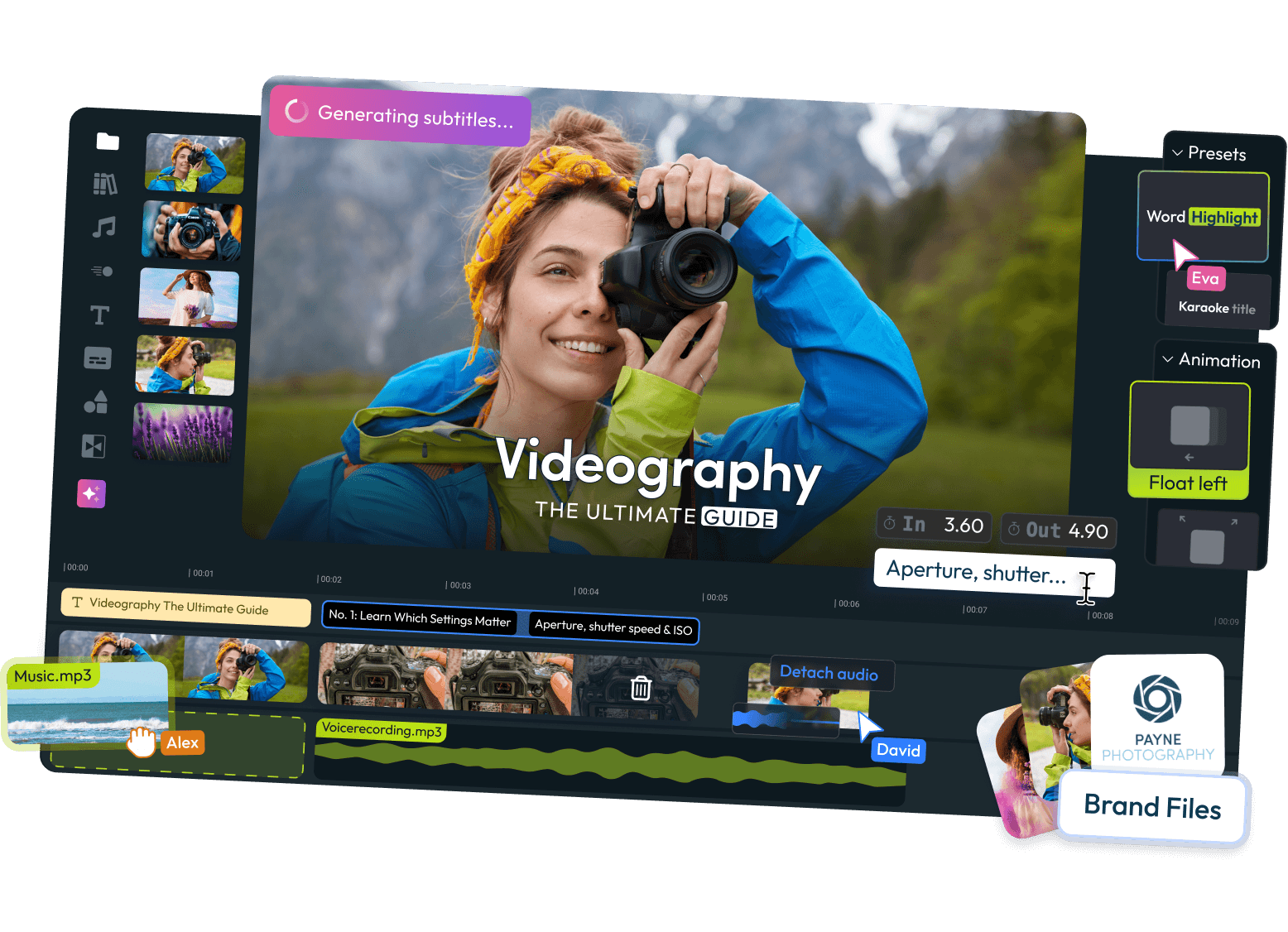
Take your videos from good to unforgettable with our latest feature: Animated Subtitles. Engage your audience like never before by adding dynamic, eye-catching subtitles that keep viewers glued to the screen.

Here’s how it works:
1. Auto-Generate Subtitles: Start by automatically generating subtitles for your video, ensuring every word is captured perfectly.
2. Choose Your Style: Dive into the subtitle inspector on the right side tab and pick a style that complements your video.
3. Animate your subtitle: Choose an animation for your subtitle from the Subtitle tab.
Dive in and discover how animated subtitles can elevate your videos from the background noise to the main show. This new feature is designed to make your editing process more efficient and your content more engaging.
Ready to make your videos stand out? Start using Animated Subtitles today and watch your engagement soar!
Subtitle Editing Improvements
IMPROVEMENT🚀 New Subtitle Features 🎬
We just added a series of new subtitle features to Flixier that were designed to make editing subtitles a lot easier. Here’s what’s new:
✨ Edit Subtitles Directly On The Timeline ✨
Our latest update allows you to adjust the timing of individual subtitles easily by dragging on their edges on the timeline:

Note: you need to double click on the subtitle to enter in the editing mode.
On top of that, you can also:
🌟 Split and Merge Subtitles 🌟
If a subtitle is too long, you can right-click it in the timeline to split it into two parts.

![]() 🌟 Add Extra Subtitles Easily 🌟
🌟 Add Extra Subtitles Easily 🌟
You can now add new cells anywhere inside a subtitle! To do so, create a space for it, right-click on the empty space (marked with orange), and choose Add New Subtitle. Also, you can now edit the subtitle directly in canvas.

After you add a new subtitle, you can reposition it and drag on its edges to adjust the timing.
⚠️ Characters Per Second (CPS) Warning ⚠️
Studies show that people have trouble reading more than 20 characters per second, especially when they’re watching a video at the same time.
Our new CPS feature displays a warning in the Subtitle menu if your subtitle speed is higher than 20 characters per second to help you create subtitles that everyone can keep up with.

Generate voice overs that sound human straight from Flixier
Ready for another update? 🚀🌟🎉
NEW Human Like Text To Speech
Our online video editor's text-to-speech feature now boasts a total of 500+ new voices from 70 languages and dialects, thanks to this expansion we offer an incredible range of voice options, ensuring that you can find the perfect match for any project, mood, or message.
Why This Matters?
Easy workflow: Forget about the hassle of recording your voice or having pay for expensive voice actors that take a ton of time to deliver. Iterate in seconds and go live in minutes.
Diversity and Versatility: With over 500 voices, your creative possibilities are endless. Whether you're crafting content for different regions, targeting various demographics, or just looking to spice up your projects, our enhanced library has got you covered.

Unmatched Quality: Expect crystal-clear, natural-sounding voices that will make your videos more engaging than ever.
Ease of Use: Our online video editor remains as user-friendly as ever. This new array of voices is seamlessly integrated into our platform, making it easy for you to experiment with and select the perfect voice for your videos.

Thank you for being a part of our community! We're excited to see the incredible content you'll create with these new voices!
Stay creative,
The Flixier Team
Repurpose content and edit faster with Short Select
Hey Flixier users! We are back with a handy new update. 👋👋
NEW Short Select
We're thrilled to announce Short Select, a feature that enables you to edit videos and repurpose content faster than ever.

Short Select allows you to highlight only a part of the timeline and perform a number of super useful quick actions on that selection. Here is a quick run-down of what you can do:
1. Export Selection - export just the video that is highlighted with Short Select
2. Save as New Project - create a new project from the selection, further on you can change the size of the video in the new project to easily publish on social media.
3. Delete Section - delete everything in the selection, leaving an empty space in the timeline
4. Ripple Delete Section - delete everything in the selection and move all videos from the right of the timeline to connect with the ones on the left.
Here’s how it works
Click and Drag to Select: Easily click and drag the green or red playhead handles to define the exact section of your timeline you wish to work with.

Visual Highlight for Precision: The selected area will be highlighted in a bright yellow, giving you a clear visual cue of your work area.

Versatile Editing and Publishing Options: Once you've made your selection, you can export this segment, save it as a new project, or delete the selection if it doesn’t fit your vision.

Whether you're a seasoned pro or just starting your journey in video editing, this feature is designed to simplify your process, we hope you'll like it and we can't wait to hear your feedback.
Happy Editing! 🎬🌟
Phone Import and change Aspect Ratio on the fly
NEW Phone Import 📱
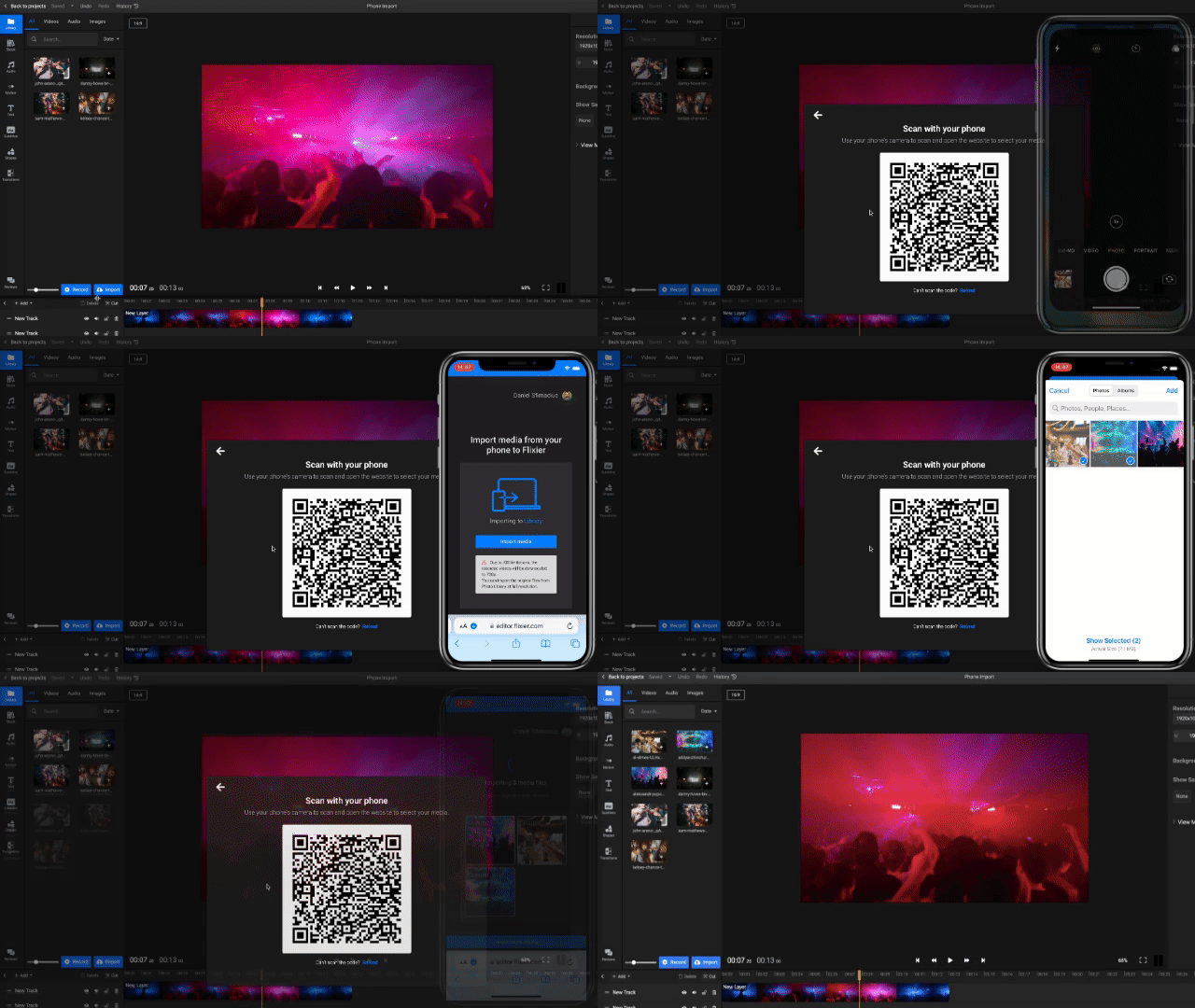
We're excited to announce a brand new import option in Flixier - Phone Import via QR code! - which allows you to get your videos from your phone to Flixier way faster. With this new feature you can bypass having to transfer files to your PC or laptop, your videos will go directly to your Flixier library.
All you have to do is open the Import screen, select Phone Import, and then use your phone's camera to scan the QR code to start importing your videos. It's that simple!
IMPROVEMENT Change video aspect ratio
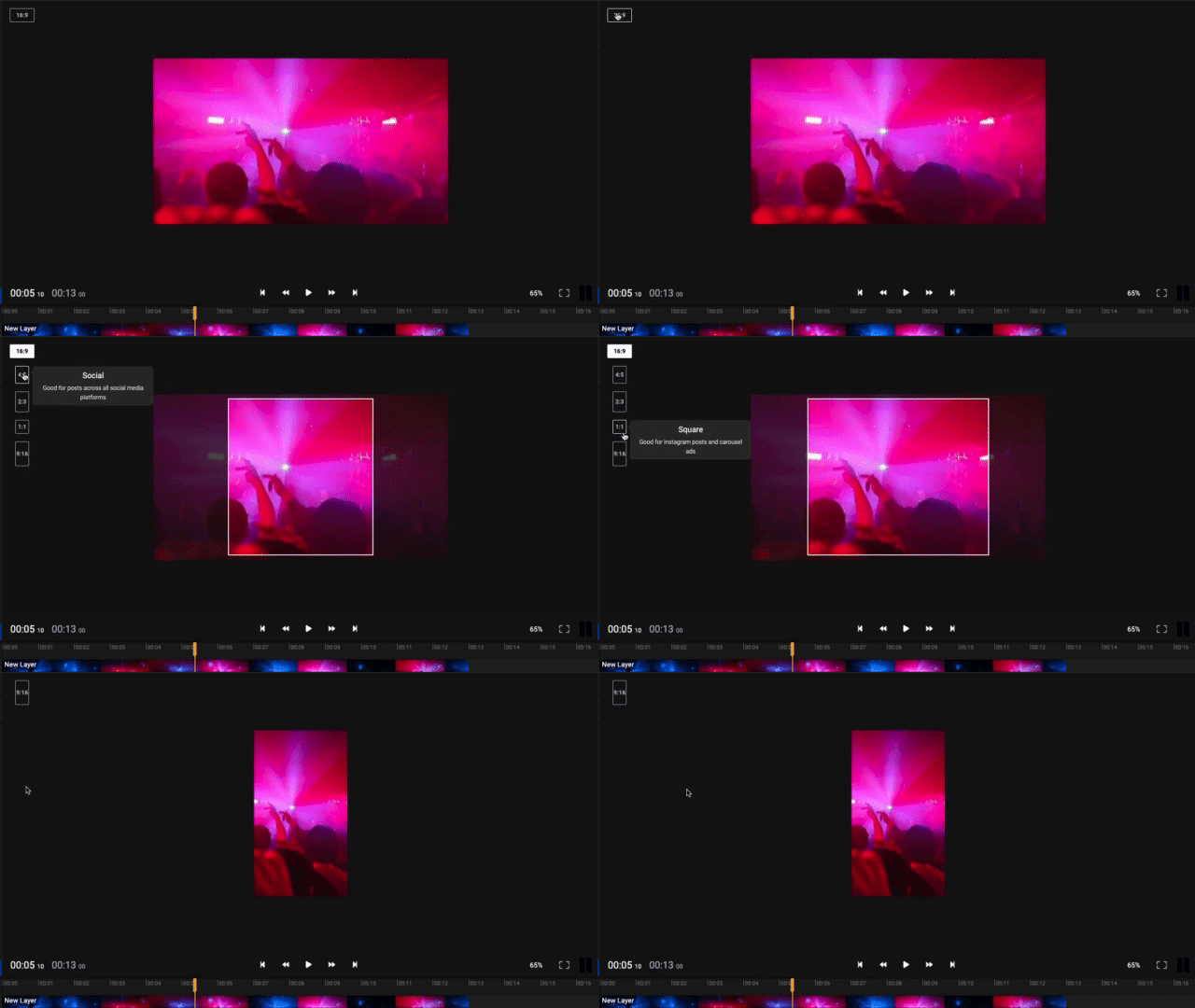
We've made it super easy to change the size of your video. Simply click on the aspect ratio button on the top left of the canvas and select a new size from the dropdown. This feature will allow you to easily create and repurpose your content for multiple platforms.
Motion tracking made easy
NEW Motion tracking made easy
Track motion in videos without having to learn anything about video editing. Say goodbye to spending hours creating a motion path frame-by-frame.
With Flixier you can pin text, stickers, and shapes to moving objects in a video to highlight movement, blur people’s faces, censor parts of a video, and create an overall engaging video.

We built Motion tracking thanks to your votes at https://flixier.com/ai . Your feedback is extremely valuable to us and we really appreciate you for taking the time to help out.
IMPORTANT BUG FIX Subtitle Translate not saving
This issue was caused by a bug where users were unable to save their translated subtitles after editing their videos in some cases. We understand how frustrating this issue was and we apologize for any inconvenience it caused.
AI Audio Enhancer and Floating Toolbar
NEW Enhance audio from the Editor
The AI Audio Enhancer is the perfect tool for anyone who wants to remove background noise from audio. Whether you’re working on a podcast, voiceover, or interview, our new AI Audio Enhancer can help you remove background noise and make your audio sound cleaner and more professional.
The AI Audio Enhancer uses advanced algorithms to detect and remove background noise and reverb, while preserving the original audio signal. It’s easy to use straight from the editor and can be applied to any audio track in just a few clicks. Try it out and let us know what you think!

NEW Floating Toolbar
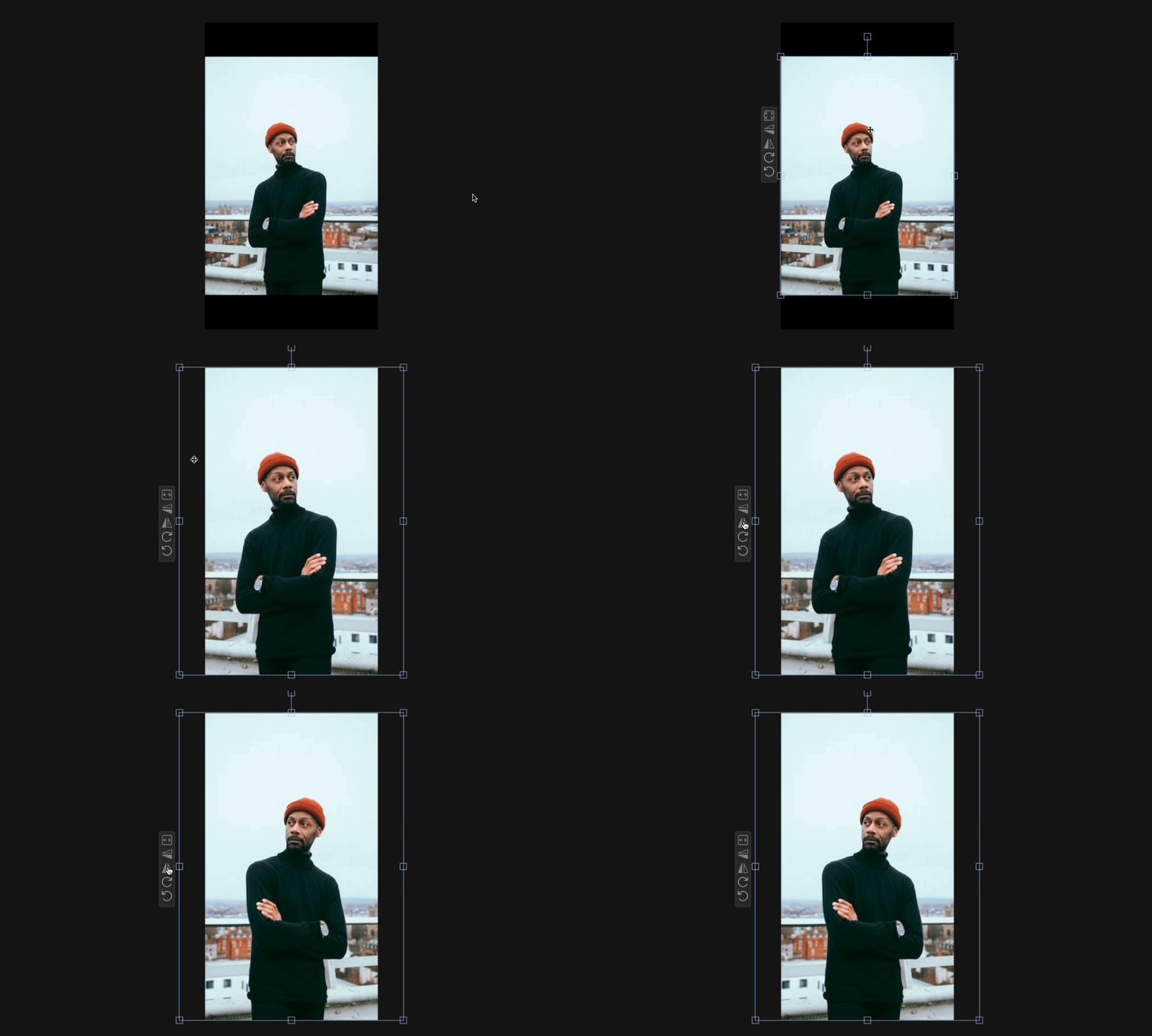
We just built a new floating toolbar next to your objects in the canvas to offer quick access to frequently used transform features. Now, you can fit, fill, rotate or flip your video with just a few clicks.
If you have any questions or feedback, please don’t hesitate to reach out to us. We’d love to hear what you think!
Happy editing!
Enhance Audio Tool
NEW Enhance Audio Tool
When making video that contains your voice the quality of that audio is super important. That’s why we’re excited to announce the new enhance audio tool in Flixier!
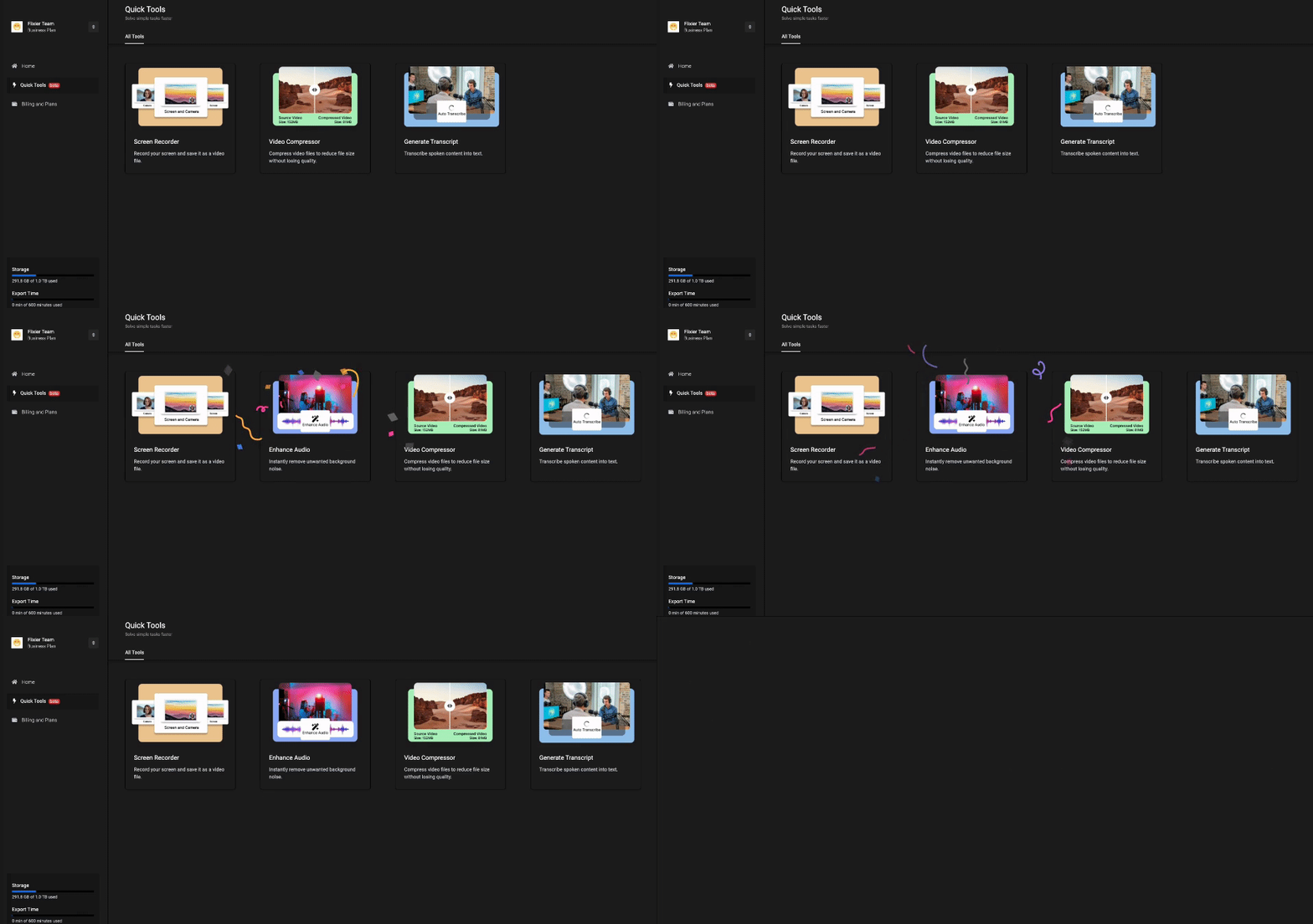
With this new feature, you can easily improve the audio of your videos with a few clicks. Whether you’re looking to clean background noise or enhance the clarity of your audio, Flixier has you covered.
We hope this new feature will help you take your content to the next level. As always, if you have any questions or feedback, don’t hesitate to reach out!
Inline Styling for Text
NEW Inline Styling for Text
A highly requested and long awaited feature, you can finally style individual words in text boxes! Simply select individual words or letters and adjust their font, color, style, and more in the Properties menu.

IMPROVEMENT Text and shape performance
Flixier has made some great strides in improving text and shape performance in canvas. We hope that these changes will make your experience using Flixier even better.
As always, we're grateful for your feedback and we hope you enjoy the new and improved Flixier!
Work faster in the timeline
NEW Delete Gaps at hover
Flixier has a new feature that lets you delete gaps at hover. This is helpful if you want to tidy up your timeline or get rid of unused space. To use this feature, simply hover over the gap you want to delete and click the delete button.

IMPROVEMENT Dynamic font size
Flixier now supports dynamic font size at resize in canvas! This new feature enables you to automatically adjust the font size when you resize your text object in canvas, making it easier to create consistent, high-quality and pixel perfect videos.
IMPROVEMENT Dynamic Tracks
From now on, the height of each track on the timeline will be automatically adjusted based on the type of object it contains. So if you have a lot of audio or video clips, the track will be taller to accommodate them, but if you have mostly texts, it will be shorter.
This makes it easier to keep your project organised and avoid clutter.
As always, we're constantly working to improve Flixier and make it the best video editing tool out there. If you have any suggestions or feedback, we'd love to hear from you.