Add Text to GIF
Upload a GIF and add static or animated text online. Choose the font, color, size, and position, then set when the text appears before exporting the finished GIF.
Over 500,000 creators use Flixier every month, including brands like:
 Vodafone







How to Add Text to a GIF
Upload Your GIF
Upload a GIF from your computer, phone, or cloud storage. Add the GIF to the timeline to start editing.
Add and Style the Text
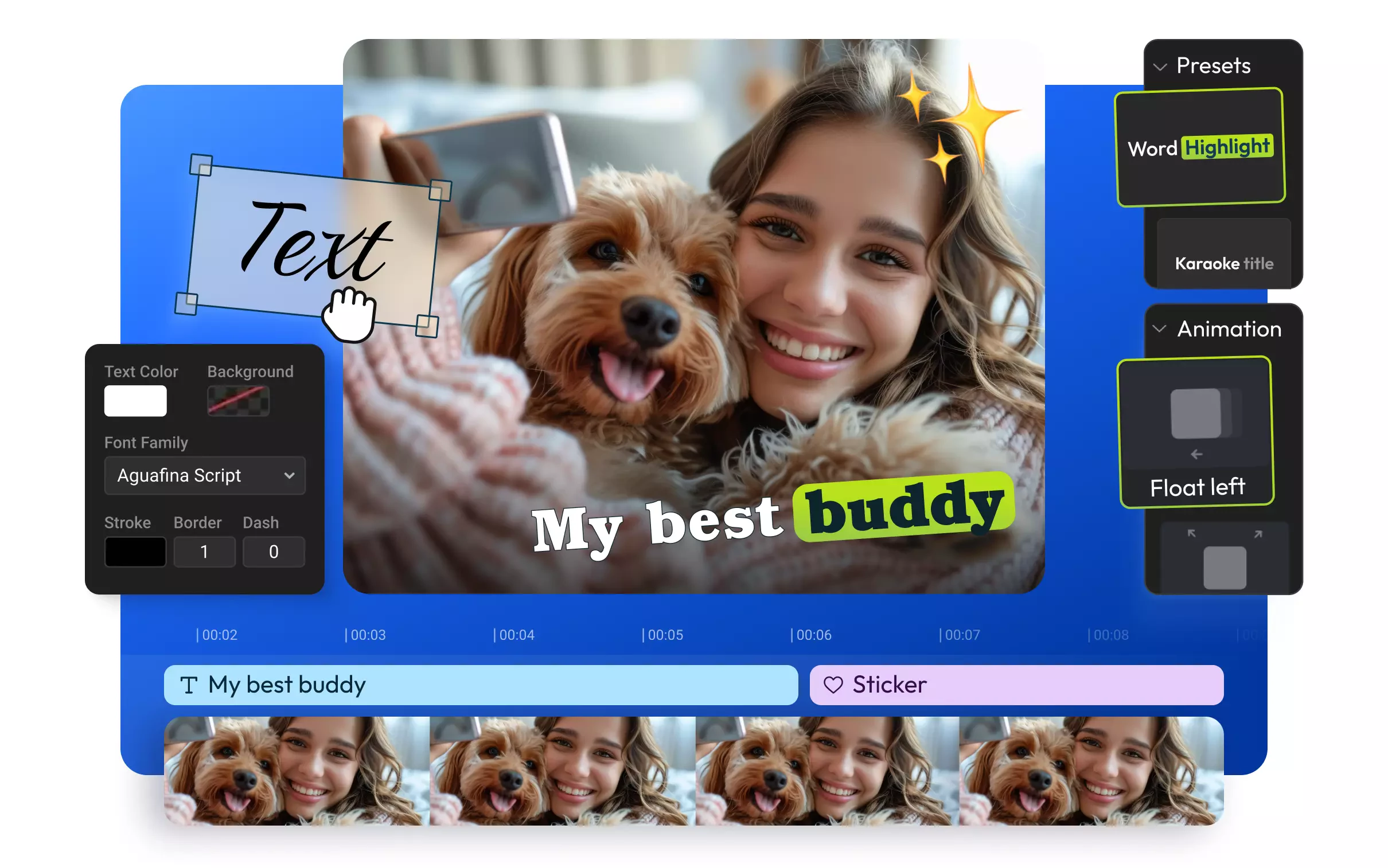
Open the Text menu and add a text layer above your GIF. Type your message, then change the font, color, size, and position. Choose an animation and adjust the text layer on the timeline to control when it appears.
Export the GIF
Preview the GIF and check the text placement and timing. Click Export, choose GIF, then download the finished animation or publish it to a connected social media account.
Add and Animate Text on Your GIF
Show Text at the Right Moment
Place the text layer on the timeline and adjust its length to control when it appears and disappears. If you need dialogue or several lines that change throughout the animation, you can also add captions to your GIF.
Make the Text Easy to Read
Choose from over 1,000 fonts or upload your own, then change the size, color, position, and background. Add an animation when you want the words to move onto or off the screen.
Add Images Alongside the Text
Combine your message with a logo, sticker, reaction image, or another visual. You can add an image to your GIF, resize it, and position it alongside the text.
Finish Editing the GIF
Use the GIF editor to trim, crop, or make other changes before exporting. You can also change the GIF speed when the animation moves too quickly or slowly for the text.
Everything you need to create and finish AI videos
Why Use Flixier to Add Text to GIFs
Keep the GIF Moving
Add text without turning the GIF into a still image. The original animation continues to play while your words remain visible or move on and off the screen.
Animate Text Without Editing Every Frame
Choose a text animation and adjust its speed instead of changing each GIF frame manually. Preview the movement with the GIF before exporting.
Turn Any Video Into a GIF
Import a video, trim the moment you want, and add text before exporting it as a GIF. This lets you create a GIF from footage you already have instead of starting with an existing animation.
Download or Publish Your GIF In Seconds
Export the finished animation as a GIF and download it to your device. You can also publish it directly to a connected social media account.
Still have questions? We got you!
Yes, add a text layer to your GIF, choose an animation, and adjust its speed. Use the timeline to control when the text appears and how long it stays visible.
No, Flixier works in your browser, so you can upload, edit, and export your GIF without installing additional software.
Upload your GIF and add it to the timeline. Open the Text menu, type your message, and customize its font, color, size, position, and animation. Preview the result, then export it as a new GIF.
Other VideoEditing Tools
Articles, tools and tips
Add Animated Text to Your GIF
Type your message, customize its style and timing, then export a new GIF directly from your browser.